Integrating SQL Planner with ServiceNow streamlines your database monitoring by automating the incident management lifecycle. This powerful synergy allows database administrators to review real-time alerts generated by SQL Planner and instantly convert critical issues into ServiceNow incidents directly from a unified dashboard.
By centralizing ticket creation, the integration eliminates manual data entry and ensures that no performance bottleneck or backup failure goes unnoticed. Users can track the complete history of an alert and its corresponding incident ID, providing a clear audit trail for compliance and troubleshooting. Additionally, the bidirectional synchronization keeps ticket statuses updated across both platforms, ensuring that IT teams and DBAs are always aligned on the current state of a problem. Ultimately, this workflow reduces mean time to resolution (MTTR) and maintains a high level of database health through proactive, organized service management.
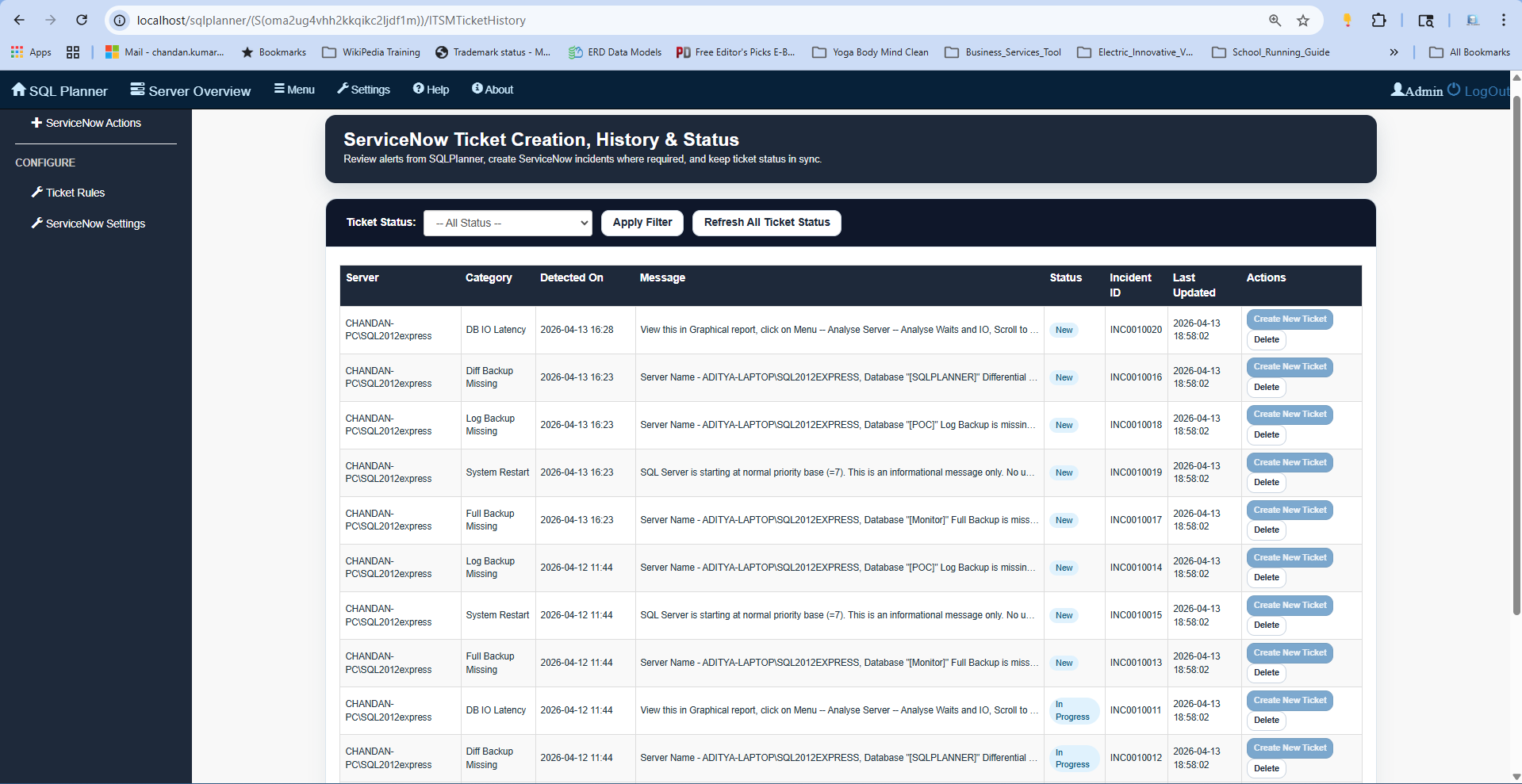
To View All Service Now ticket details dashboard in SQL Planner , Navigate to Menu > Service Now Ticket Management
Here within SQL Planer, you can view all tickets history , apply filter and get latest ticket status.
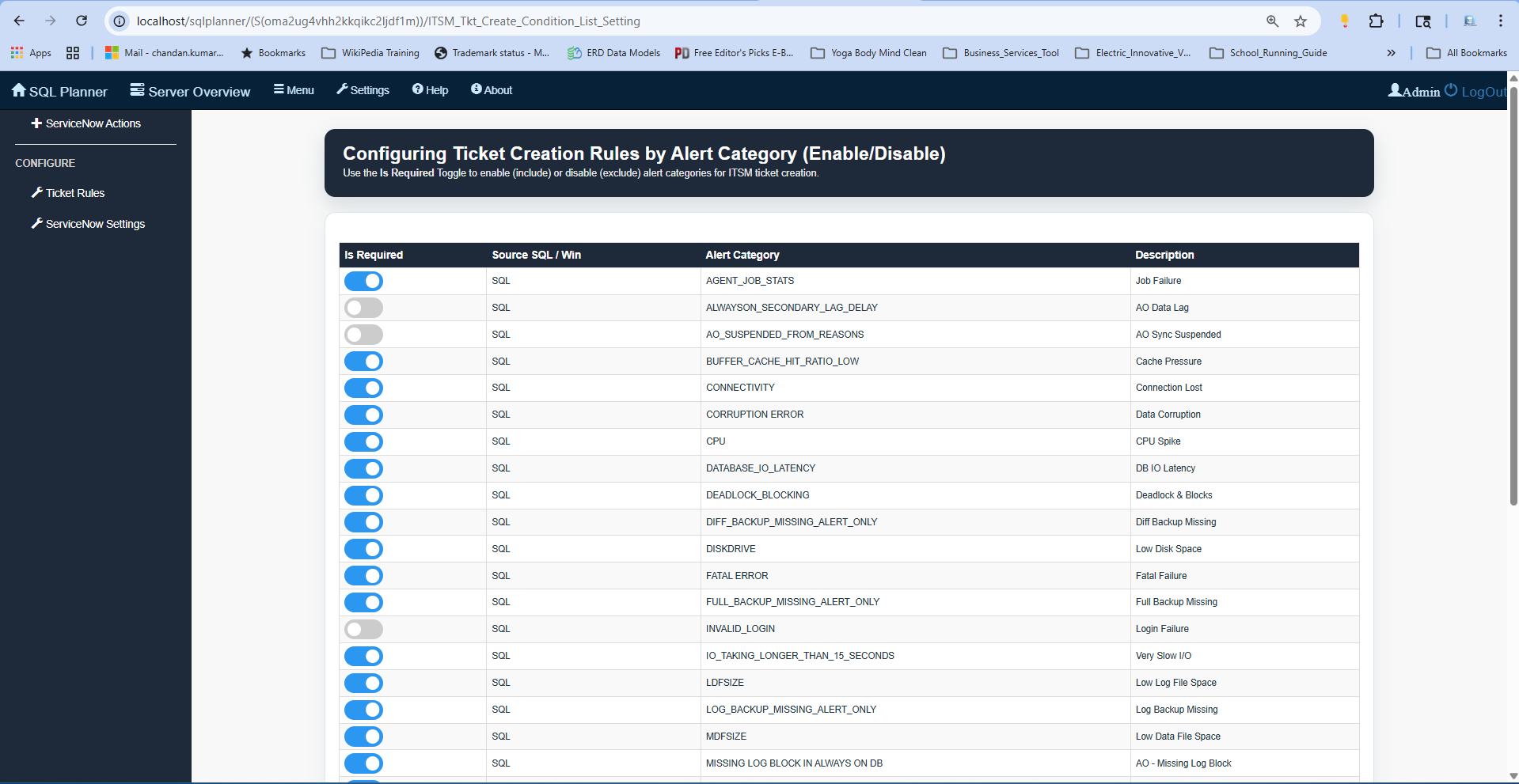
Ticket Creation Rule Setting
The Configuring Ticket Creation Rules screen allows administrators to granularly control which SQL Planner alerts trigger a ServiceNow incident. By using the Is Required toggle, you can enable or disable specific Alert Categories, such as CPU spikes, backup failures, or connectivity errors, to filter the noise and focus on high-priority issues. Each rule is mapped to a clear Description, ensuring that the automation logic aligns with your IT service management (ITSM) requirements.
This flexible configuration ensures that only relevant database health metrics are escalated into the official ticketing system for resolution.
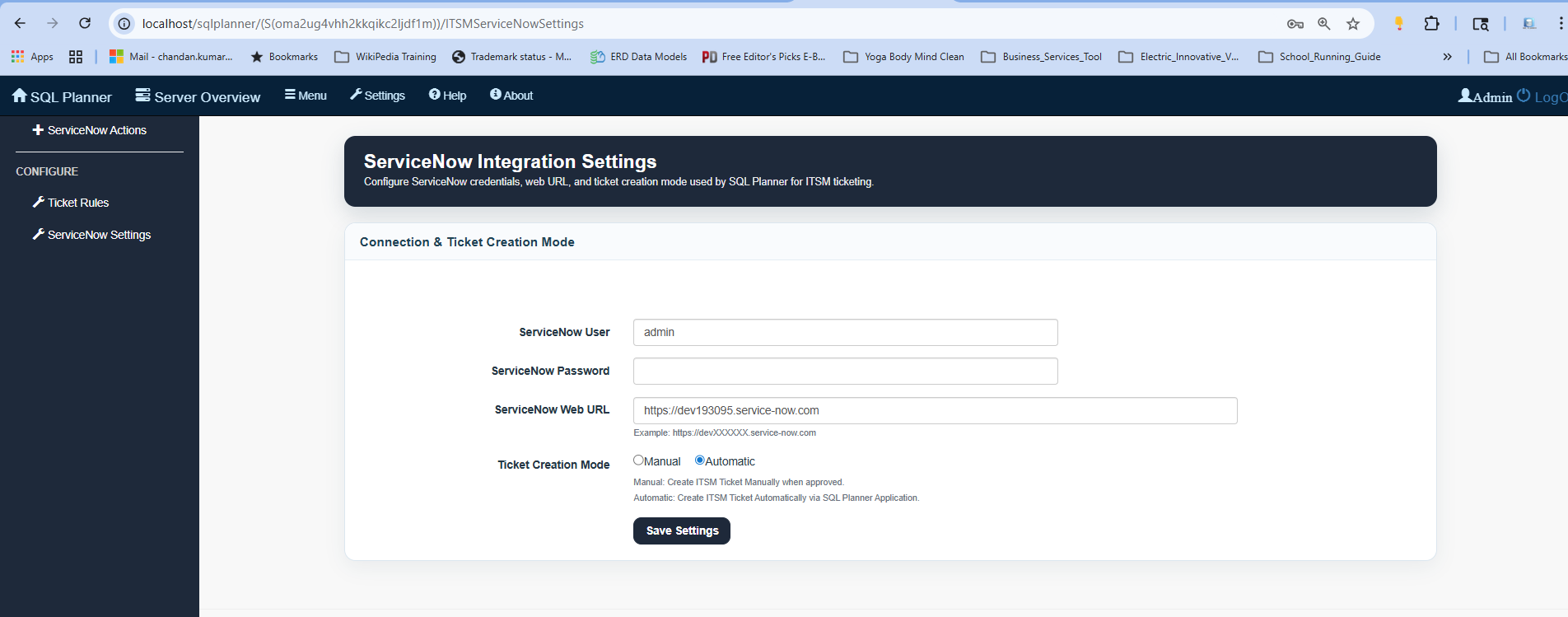
Service Now Configuration Setting
To establish the connection, administrators must provide valid ServiceNow credentials and the specific Web URL for their instance.
A critical configuration step is selecting the Ticket Creation Mode, which determines whether incidents are generated manually upon approval or automatically by the SQL Planner application.
Once these settings are saved, the system uses these parameters to authenticate and bridge the two platforms for seamless ITSM ticketing. This setup ensures that SQL Planner has the necessary permissions and pathing to trigger and manage ServiceNow tickets according to your organization’s workflow preferences.