DB Health Pro

Server Health Report Generator Software for – MSSQL , MySQL , PostgreSQL


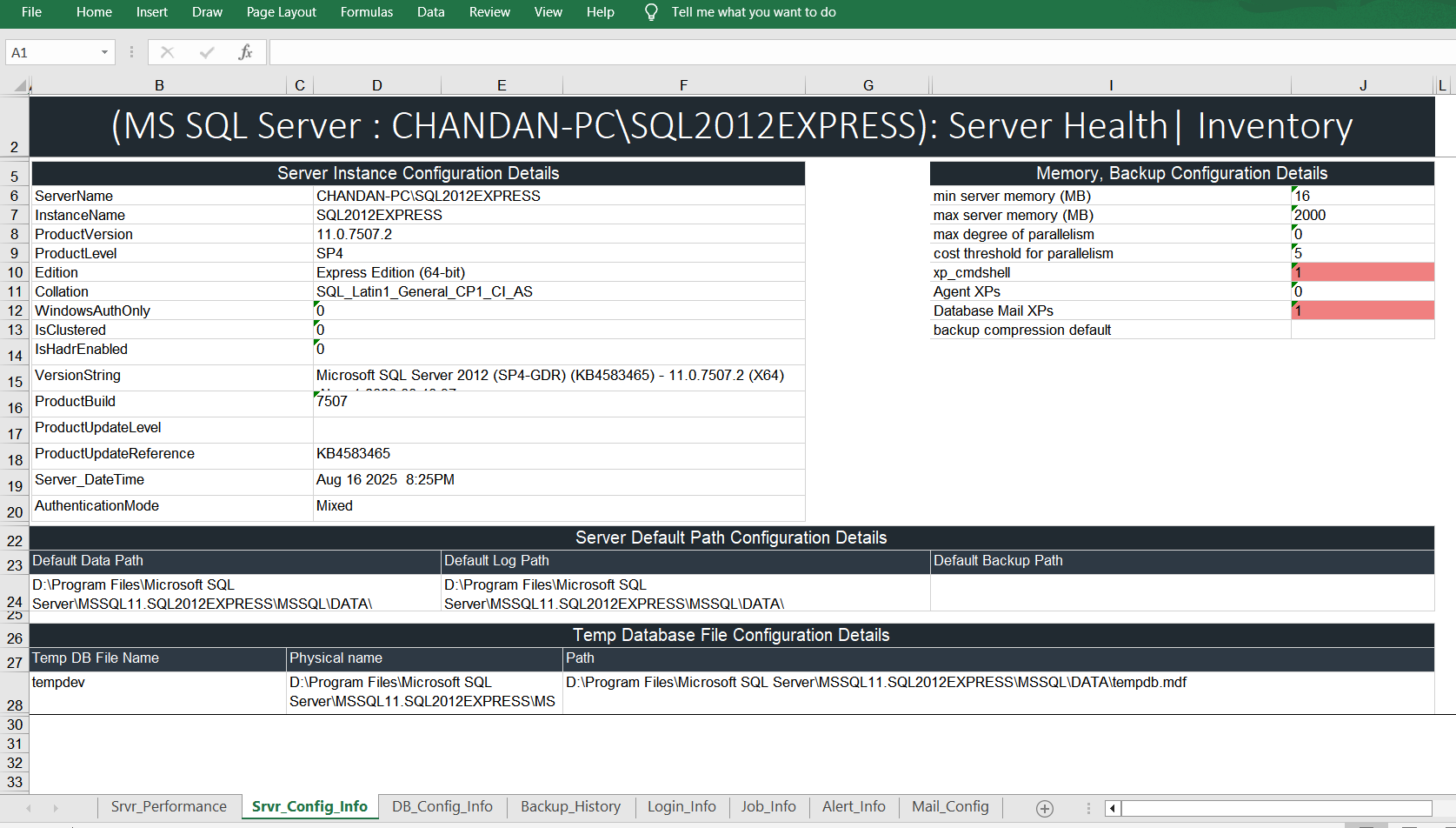
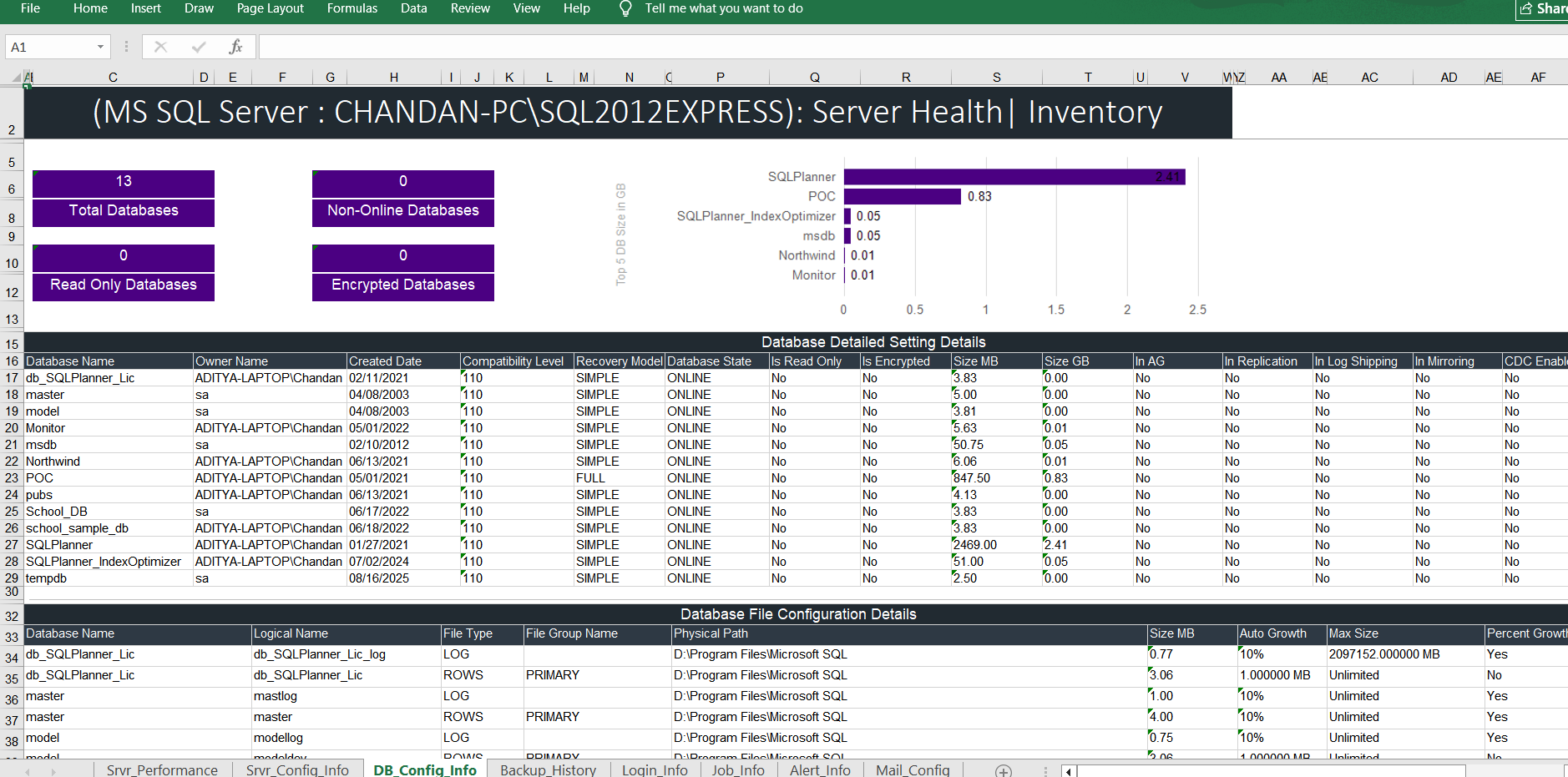
SQL Server:   

  • CPU, Memory Usage
  • SQL Error Log
  • Database Backup Information
  • Expensive SQL Queries
  • Wait Statistics
  • Server Performance KPIs
  • Server Instance Information
  • Backup and Memory Configuration
  • Default Path Settings
  • Database KPIs
  • Security Information and Logins

Click To Download Sample Report

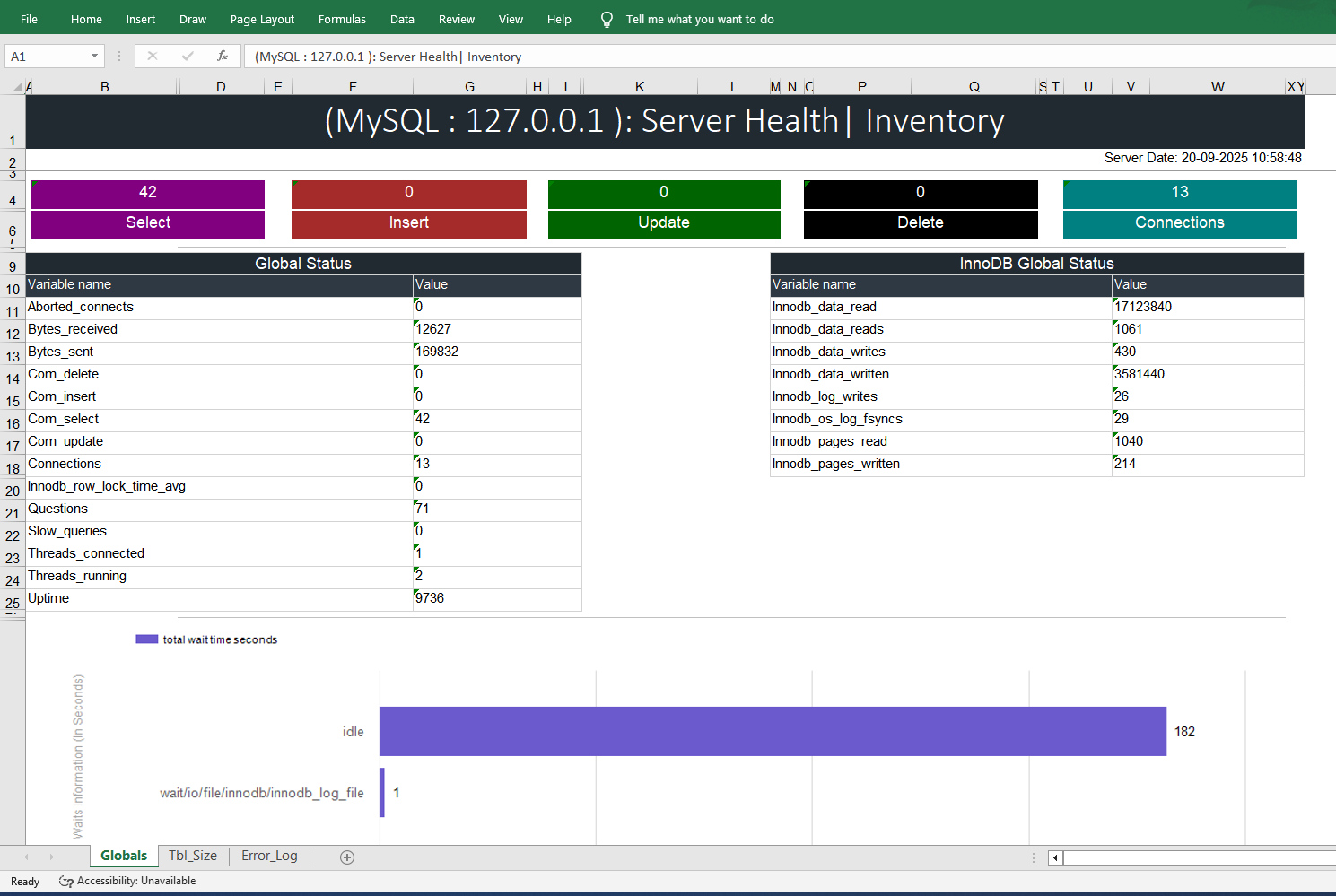
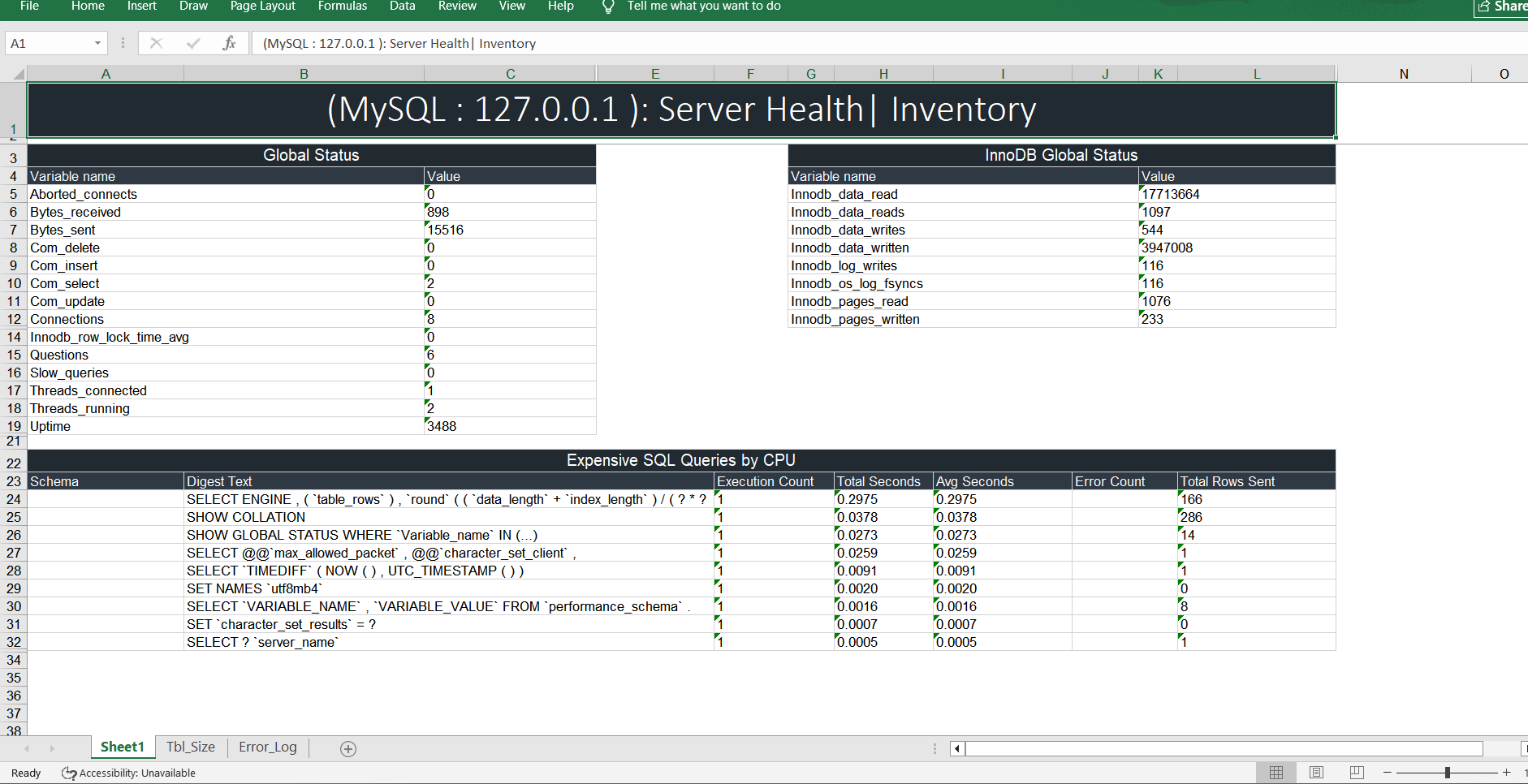
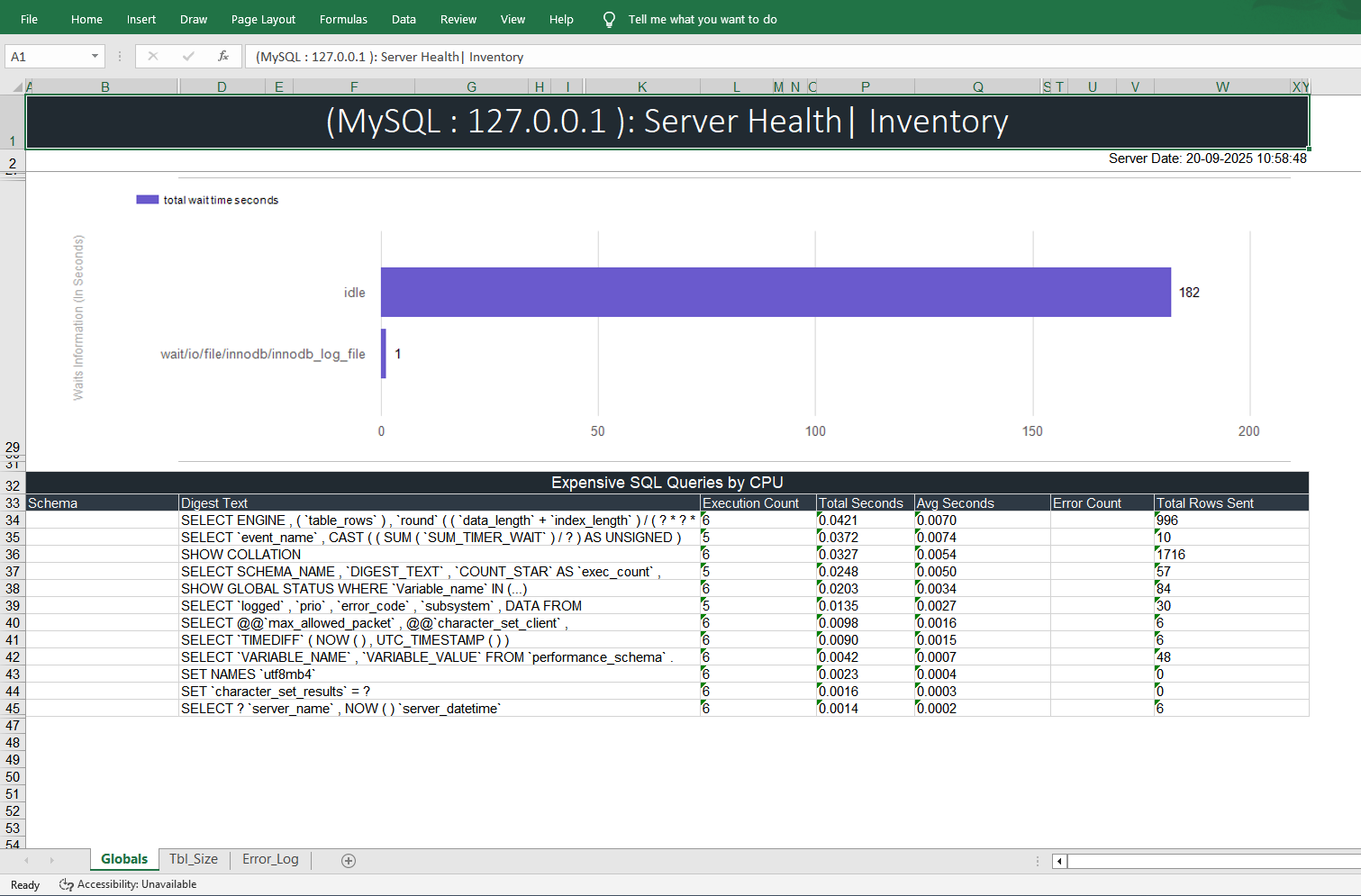
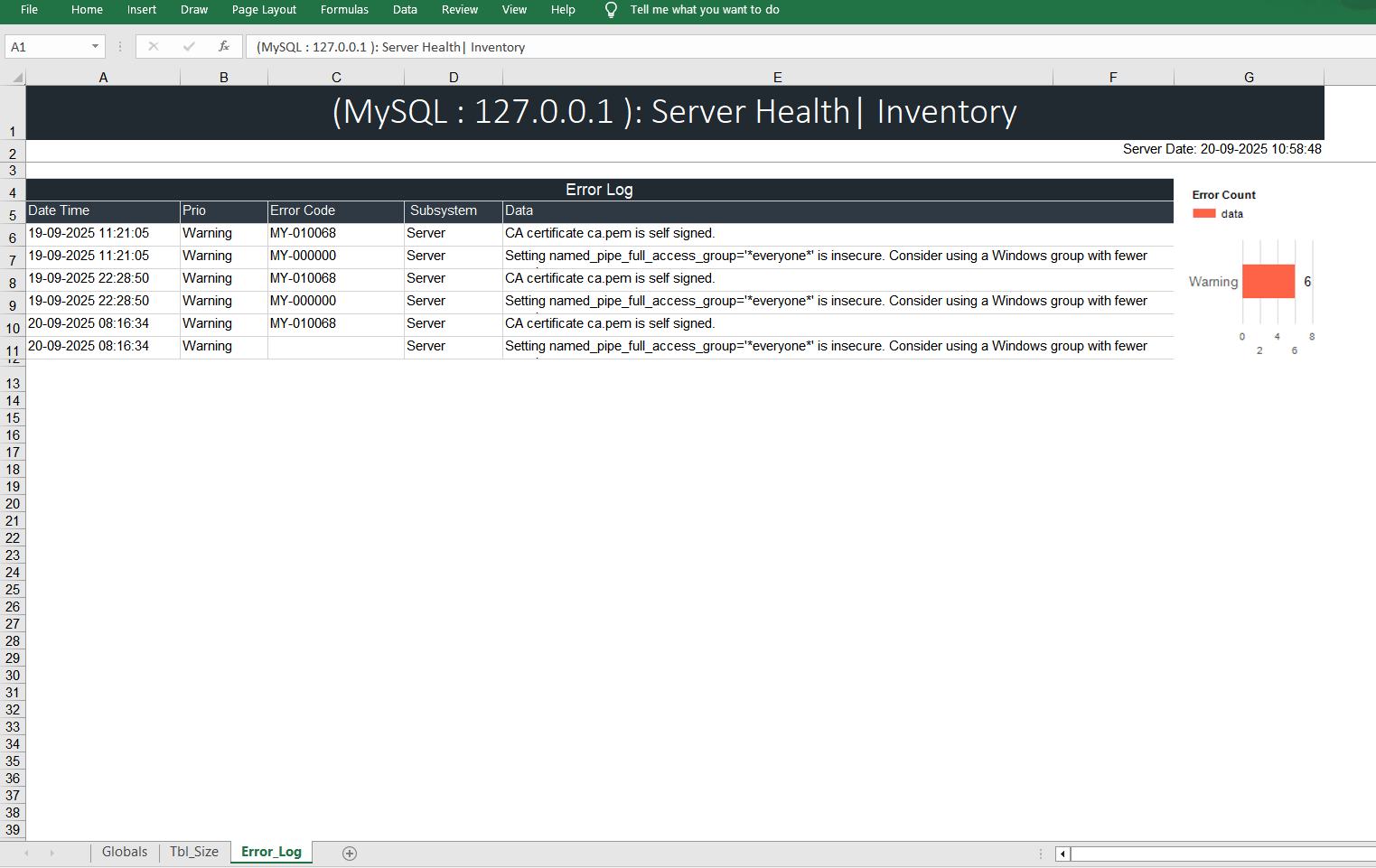
MySQL :   

  • Important Global Status like connections, bytes sent and received, UPSERT count, Questions, Threads, Uptime etc..
  • Expensive SQL Queries by CPU
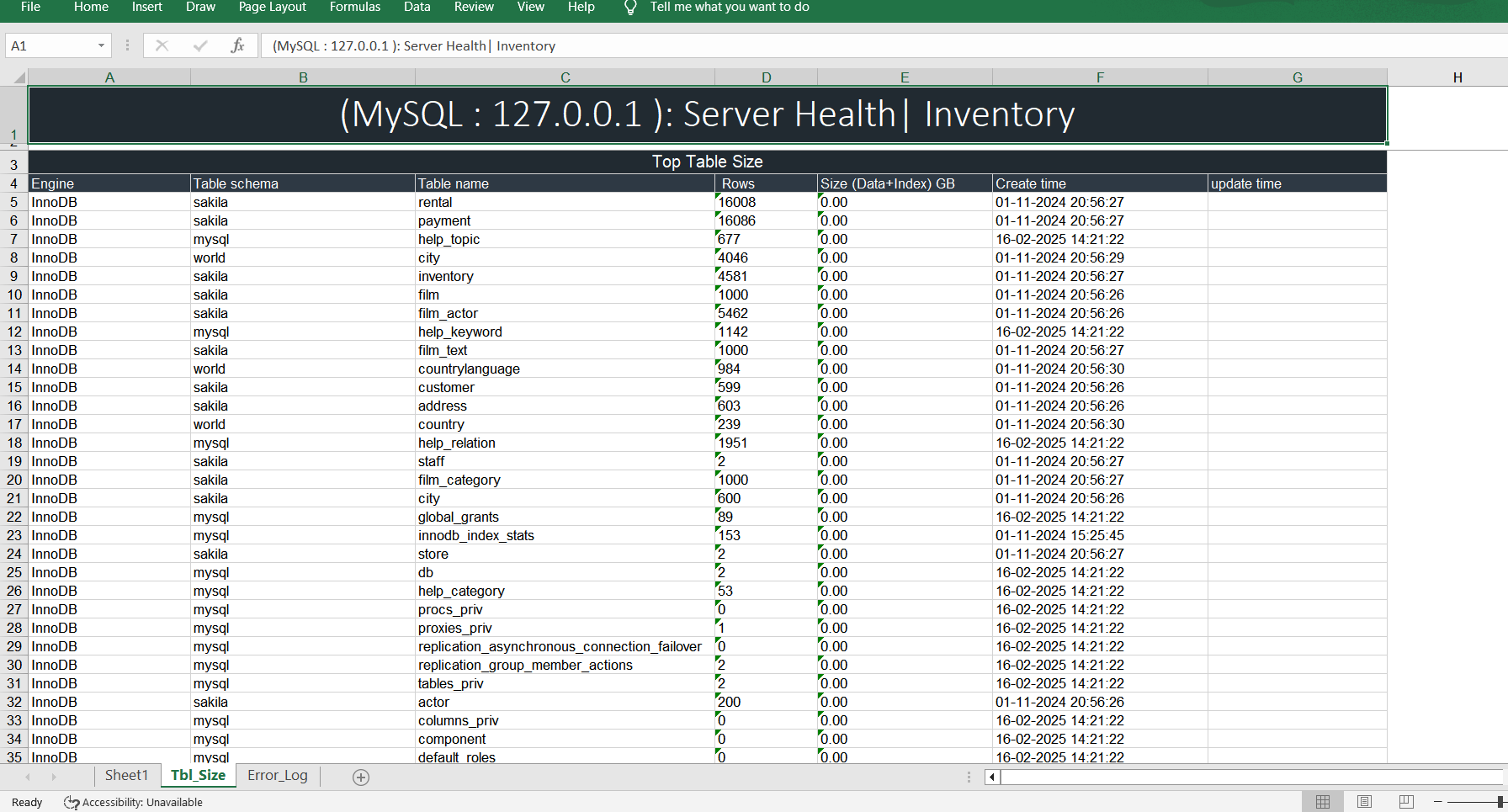
  • Top Table’s Size Report
  • Error Log Details

Click To Download Sample Report

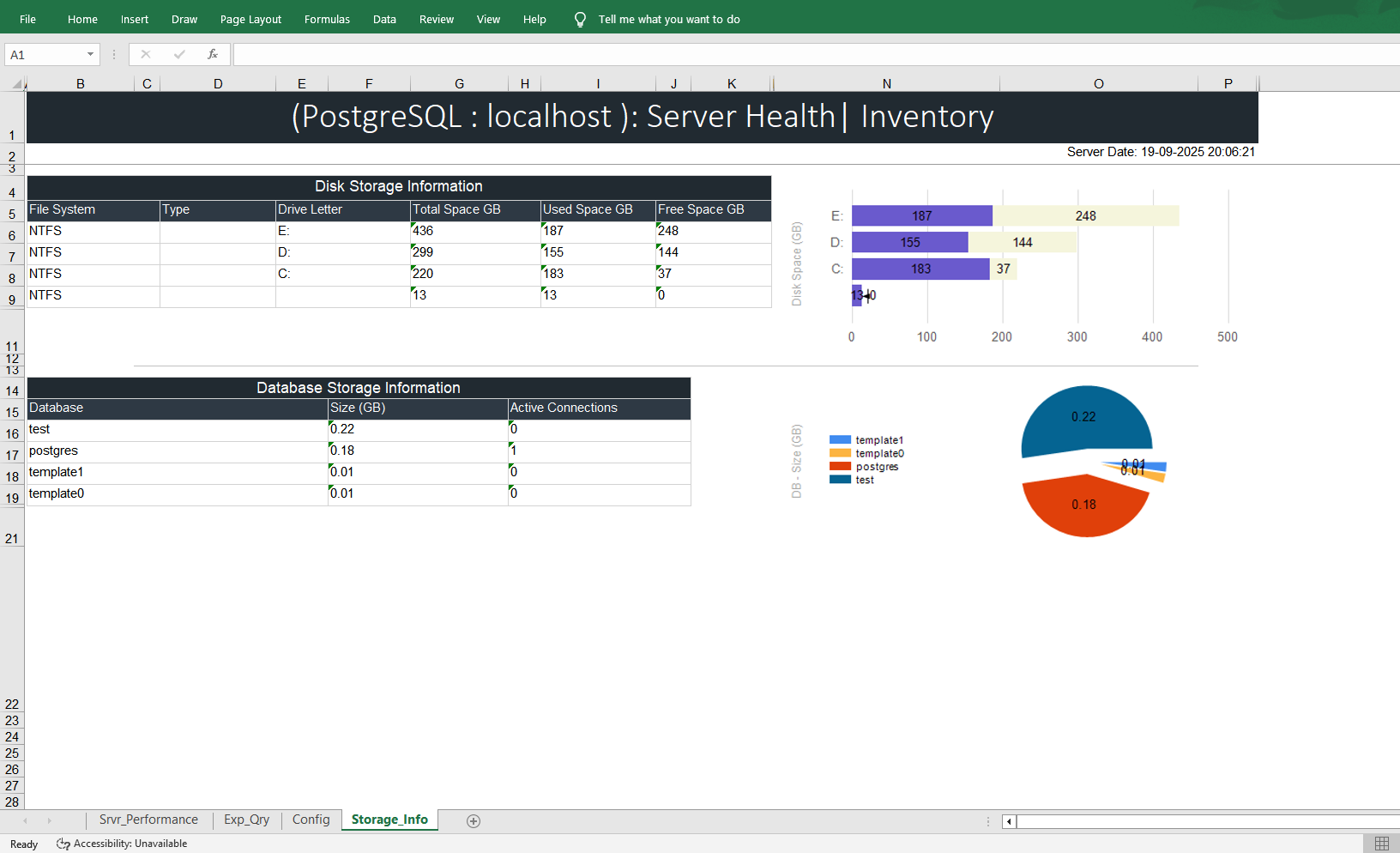
PostgreSQL 

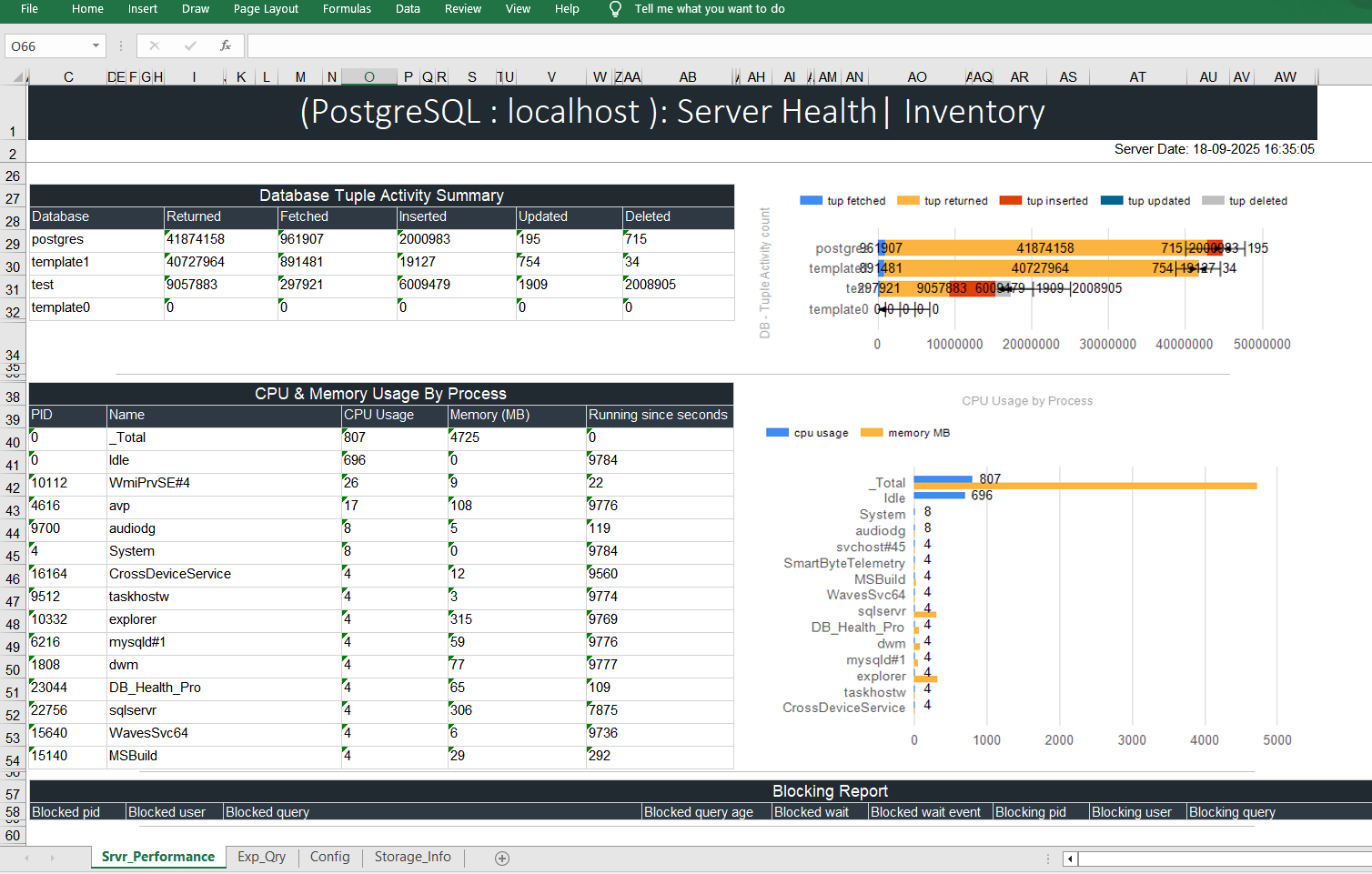
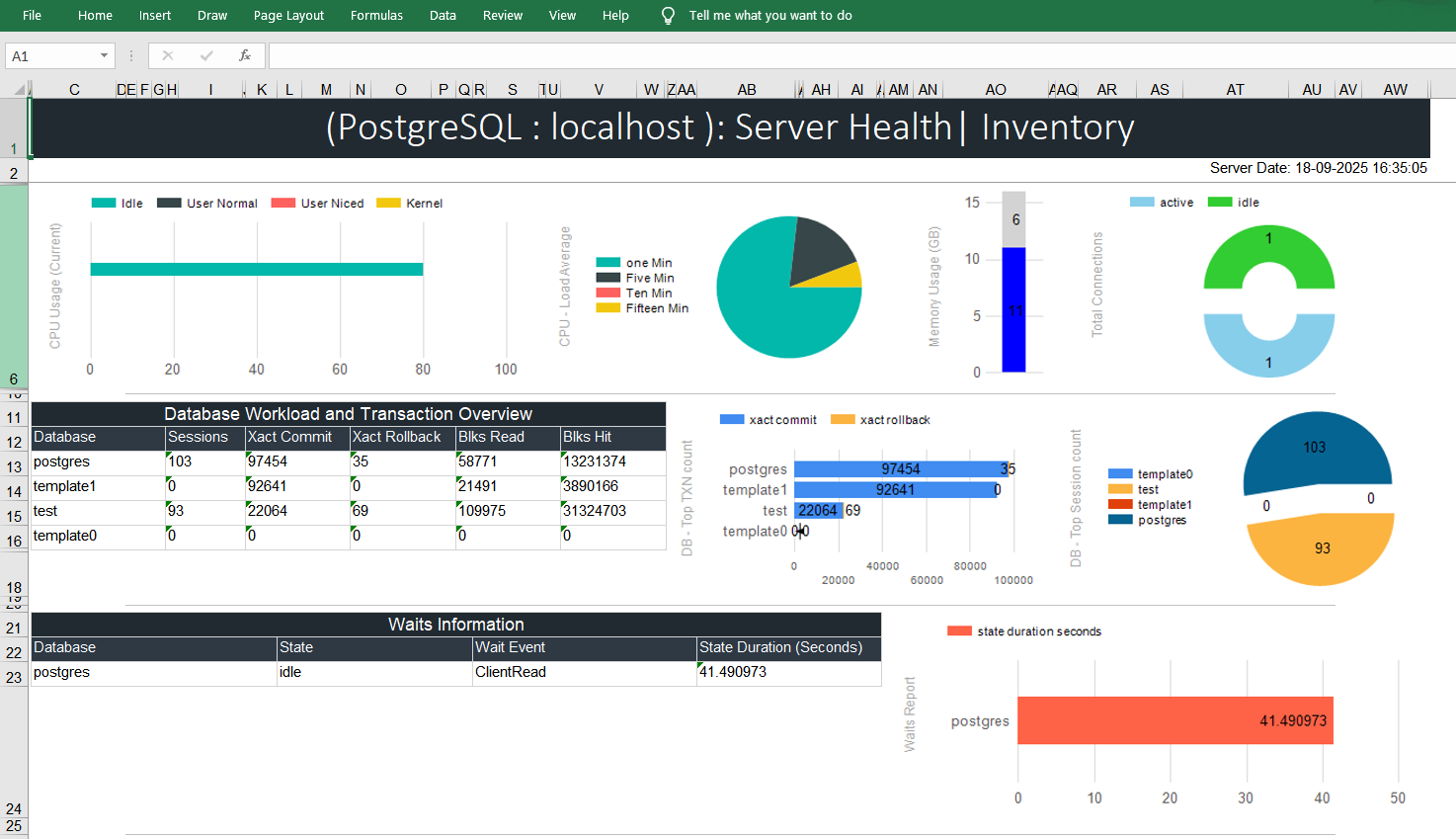
  • Server Performance Report (CPU, Memory , Connections, workload, Waits Report, Database Tuple Activity ,  etc.)
  • OS Information
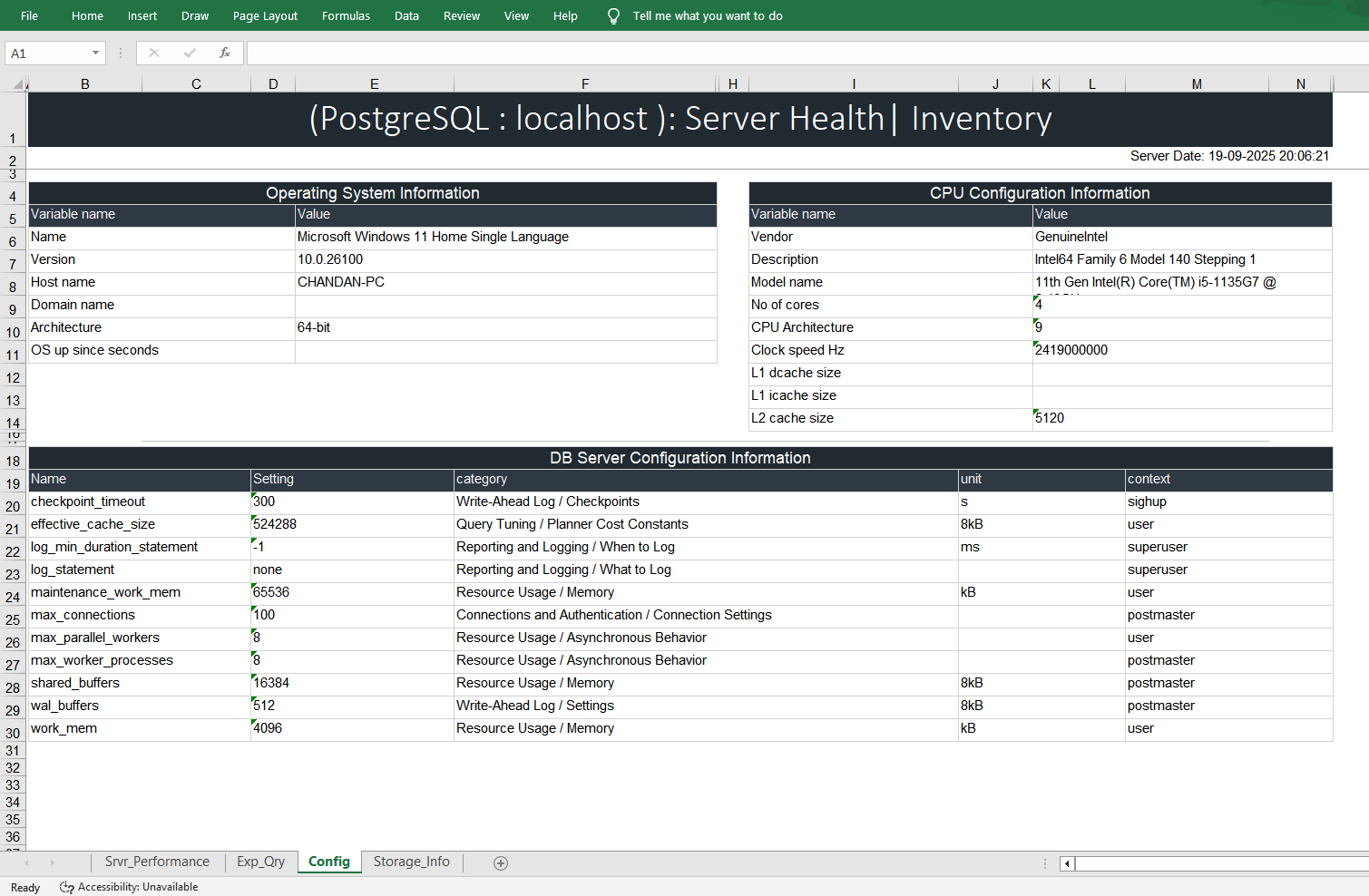
  • CPU and DB Server Configuration Report
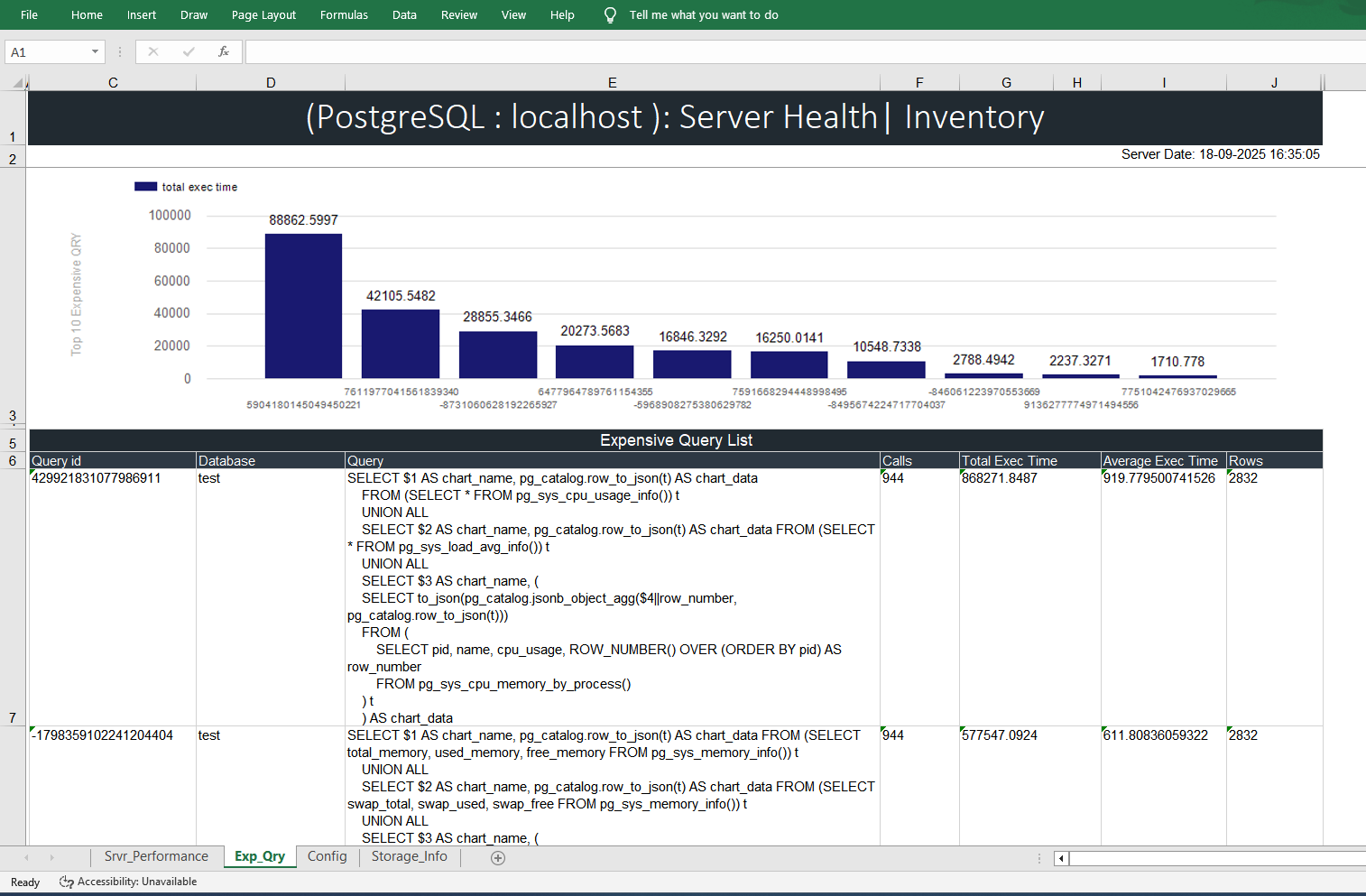
  • Expensive Queries Report
  • CPU & Memory Usage Process wise
  • Server Configuration (OS, CPU, DB Level) report
  • Storage (Disk and DB Level) Report

Click To Download Sample Report

Please register to receive updates

What’s New (v : 1.3): Added Windows Authentication, Better Performance and extra security.

What’s New (v : 1.2): Generate Health | Inventory report on Demand or Scheduled basis ! Added PostgreSQL technology.

System Requirements : Windows Operating system, any Excel file viewer software, .netframework 4.8 or above

Product Used In

DB Health Pro is being used in 50+ companies around the world. Just to mention some of them

Demo


MS SQL Server Report Screen shot

MySQL Server Report Screen shot

PostgreSQL Server Report Screen shot


User Permissions Required to Generate Reports :
  • SQL Server user should have “View Server State” permission
  • MySQL user should be member of “MonitorAdmin”
  • PostgreSQL user should be member of “pg_monitor”

Command sample to Create SQL Server login with below credential :

— 1. Create a new login for the server
CREATE LOGIN DMVUser WITH PASSWORD = ‘your_password’,CHECK_EXPIRATION = OFF, CHECK_POLICY = ON;

— 2. Grant minimal permission to view server state (required for most server-scoped DMVs) :

USE master;

IF NOT EXISTS (SELECT name FROM sys.server_principals WHERE name = ‘DomainName\LoginName’)

    CREATE LOGIN [DomainName\LoginName] FROM WINDOWS;

GRANT CONNECT ANY DATABASE TO [DomainName\LoginName];

GRANT VIEW SERVER STATE TO [DomainName\LoginName];

GRANT SELECT ALL USER SECURABLES TO [DomainName\LoginName];


DECLARE @major INT;

SELECT @major = CAST(SERVERPROPERTY(‘ProductMajorVersion’) AS INT);

IF @major >= 16

BEGIN

    DECLARE @sql NVARCHAR(4000);

    SET @sql = N’GRANT VIEW SERVER PERFORMANCE STATE TO [DomainName\LoginName]’;

    EXEC(@sql);

END

GRANT EXECUTE ON xp_readerrorlog TO [DomainName\LoginName];

GRANT ALTER ANY EVENT SESSION TO [DomainName\LoginName];

GRANT VIEW ANY DEFINITION TO [DomainName\LoginName];


USE msdb;

GRANT SELECT ON dbo.backupset TO [DomainName\LoginName];

GRANT SELECT ON dbo.backupmediafamily TO [DomainName\LoginName];

ALTER ROLE SQLAgentReaderRole ADD MEMBER [DomainName\LoginName];


DB Health Pro Advantage over traditional method

Common DBA Issues Addressed by Script-Based Health Generation
  • Initial Setup Effort ⚙️
    Creating and testing health scripts can require significant time and expertise at the start.
  • Maintenance Overhead 🔄
    Scripts may require frequent updates to adapt to new systems, database versions, or monitoring requirements.
  • Platform Compatibility Issues 🤔
    Scripts may work differently (or not at all) across DBMS types or OS platforms without careful design
  • Limited Visualization 📄
    Script output is often plain text or basic tables, not user-friendly dashboards or graphs.
  • Security Risks 🛑
    Poorly secured scripts might expose sensitive credentials or system details.
  • False Positives/Negatives ⚠️
    Without thoughtful logic, scripts might miss important issues or generate unnecessary alerts.
  • Skill Gap for Non-DBAs 📚
    Troubleshooting or extending scripts can be challenging for teams lacking scripting expertise
Advantages of DB Health Pro tool-Based Server Health Generation
  • Automation and Consistency: 🤖
    DB Health Pro tool ensure all checks are performed uniformly across all servers, reducing manual mistakes and providing consistent health reports.
  • Time Savings:
    DB Health Pro tool can be scheduled can run in seconds, freeing DBAs from repetitive tasks and allowing focus on proactive improvements.
  • Rapid Issue Detection: 🚨
    DB Health Pro tool can catch issues early—such as blocked processes, excessive waits, or error log entries—before they become major outages.
  • Comprehensive Coverage:  📊
    DB Health Pro tool can be extended to gather a wide range of data: CPU/memory usage, expensive queries, backup status, login attempts, and more.
  • Better Trend Analysis: 📈
    DB Health Pro tool outputs can be logged and trended over time, helping DBAs spot patterns and optimize proactively.
  • Improved Audit Trails: 🗂️
    DB Health Pro tool can be stored, timestamped, and retrieved for compliance and auditing purposes.
  • Customizability: 🛠️
    DB Health Pro tool can be tailored to specific environments and requirements, including adding checks for new KPIs or database technologies.
  • Transparency: 🔎
    DB Health Pro tool provide clear documentation of what is checked, enabling easier handover and collaboration within DBA teams.
Scroll to Top