Design, document and deliver your databases — visually.
A browser-based visual data modeling tool for designing database schemas, reverse-engineering existing databases, generating SQL, and producing living documentation — all in one place, with nothing to install.
Database engines supported for SQL generation and import
Installs — runs entirely in the browser
Shared workspace for design, review and documentation
Models per team, private to each user
Everything your team needs to model a database
From a first sketch on a blank canvas to production-ready SQL and audit-ready documentation — the Data Modeler covers the full lifecycle of a database design.
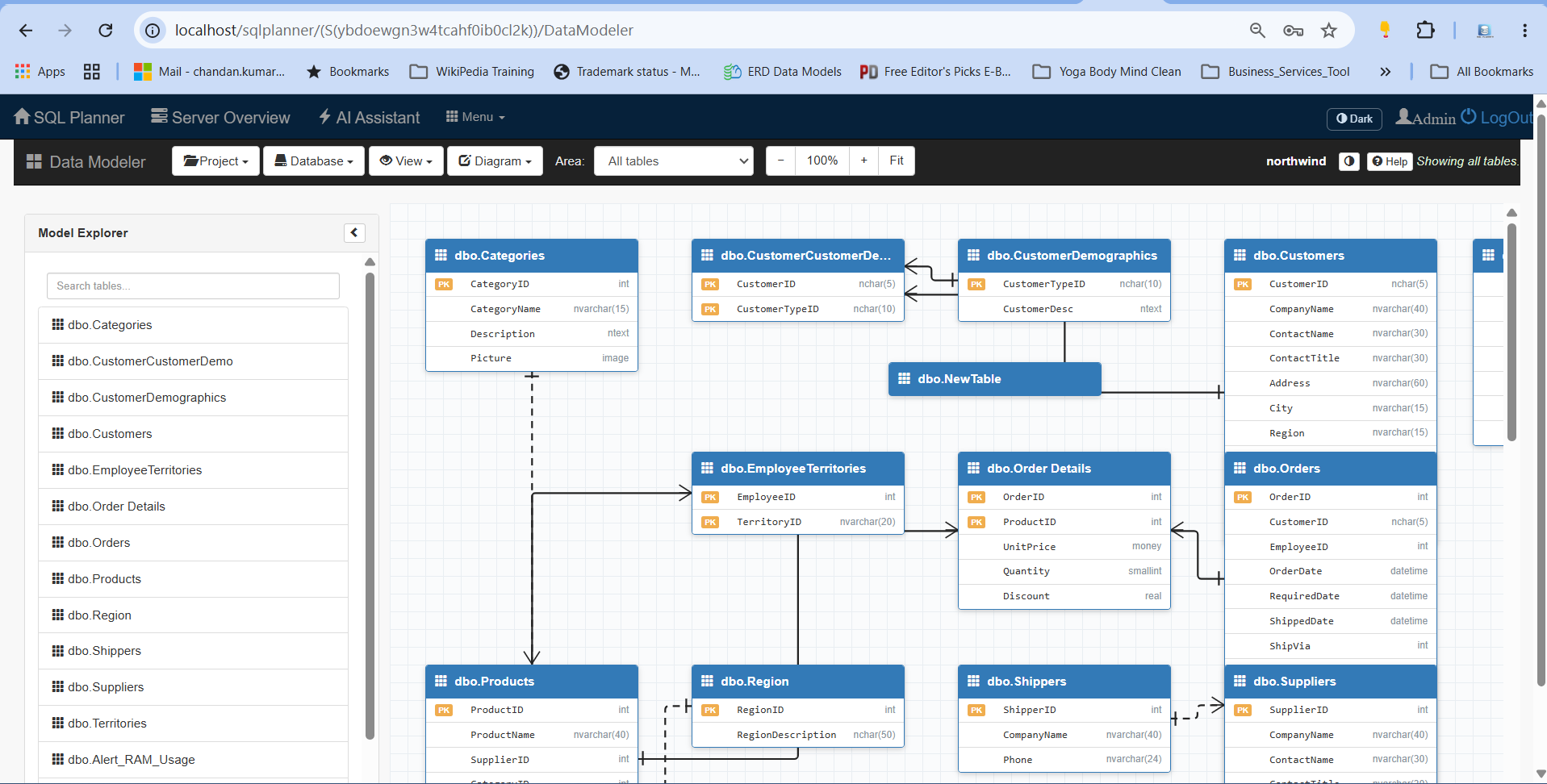
Visual ER modeling
Draw tables, columns, keys and relationships on an interactive canvas using clear entity-relationship notation, including identifying and non-identifying relationships.
Reverse-engineer databases
Connect to an existing database and import its tables, columns, keys and foreign keys into a diagram in seconds — a fast way to understand or refresh legacy schemas.
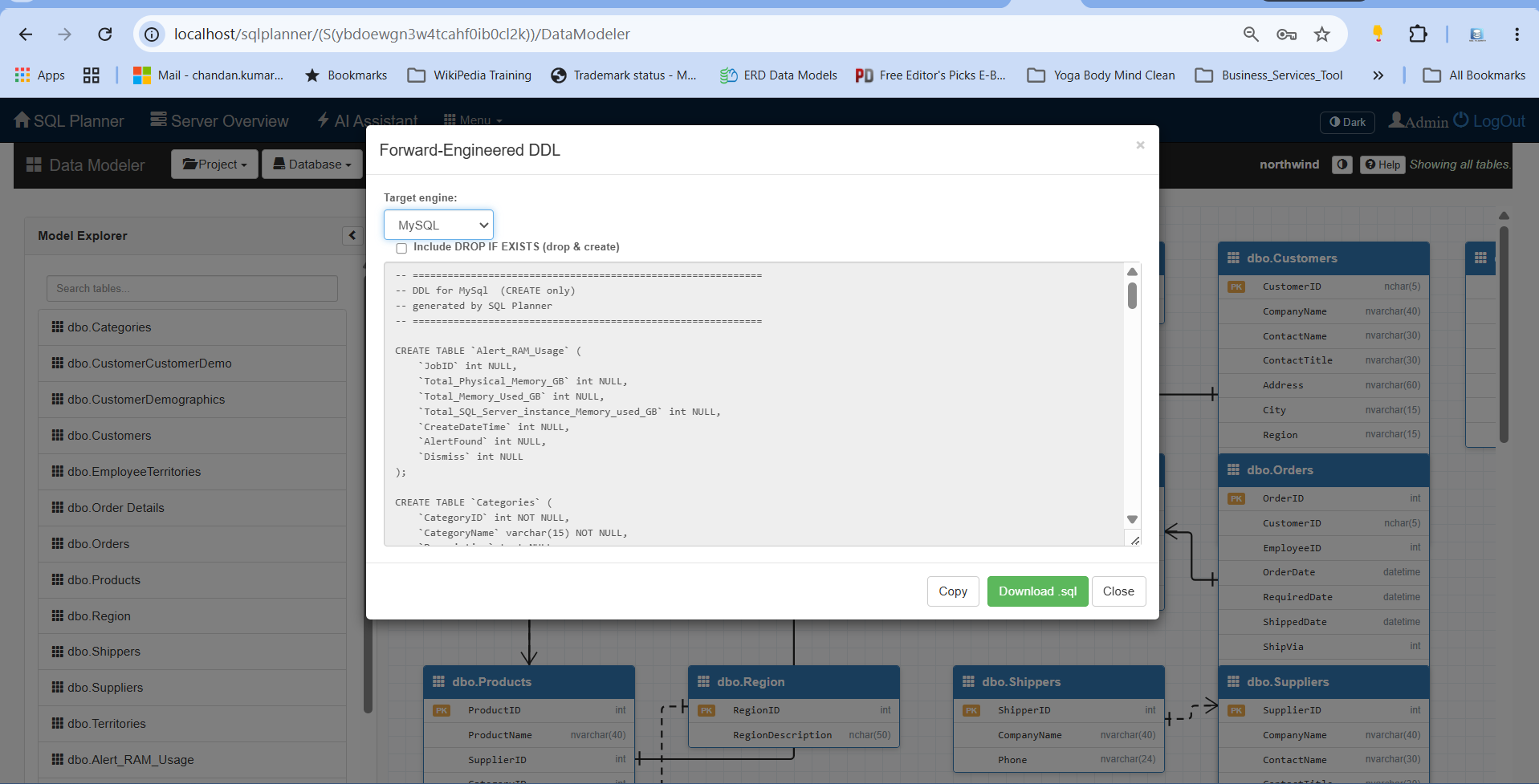
Generate SQL automatically
Forward-engineer your model into ready-to-run SQL with proper keys, indexes, defaults and constraints — with a create-only or drop-and-create option.
Model validation
Catch mistakes before they reach the database — duplicate tables, unknown data types, missing keys and other design issues are flagged as errors or warnings.
Compare & merge models
Compare two versions of a model side by side, see exactly what changed down to the column, and merge approved changes in either direction — safely, in one step.
Subject areas for scale
Break a large model into named subsets — view just "billing" or "customers" — so big schemas stay readable and easy to work with.
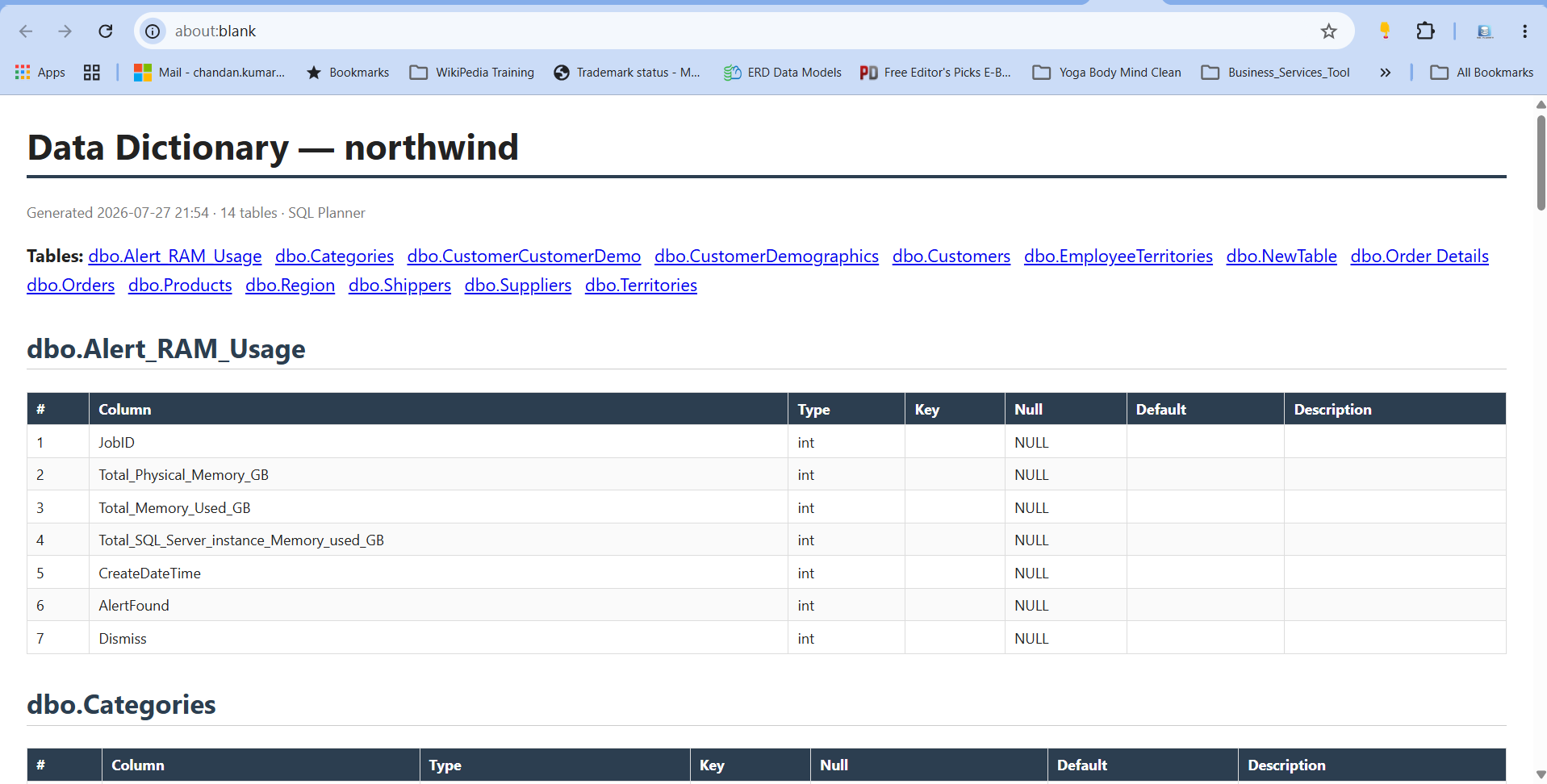
Data dictionary & documentation
Add business definitions to every table and column, then export a complete, print-ready data dictionary — ideal for governance, onboarding and audits.
Multi-engine support
Model once and target the database platform you use. Import from and generate SQL for the major relational engines your organisation already runs.
Built for teams
Every user keeps their own private set of models, and any model can be exported and shared as a portable file for review or hand-off.
One tool, value for every role
For engineering leaders & CTOs
Standardise how databases are designed and documented, reduce costly schema errors, and keep a clear, up-to-date picture of your data estate — without adding heavyweight desktop software to every workstation.
For architects & DBAs
Model complex schemas visually, reverse-engineer what already exists, validate designs against best practice, and generate consistent SQL for the platforms you support.
For developers
Understand an unfamiliar database at a glance, prototype changes on a canvas, and produce the SQL to build it — right from the browser.
For data governance & analysts
Capture the meaning of every table and column and publish a shareable data dictionary that keeps business and technical teams aligned.
For project & delivery managers
Get living documentation and version comparisons that make reviews, sign-offs and audits faster and more transparent.
For the whole team
A single, shared place to design, review and document databases — so knowledge stays in the organisation, not in one person's head.
How it works
Get from an idea — or an existing database — to documented, deployable SQL in four steps.
Start a model
Create a fresh model, or reverse-engineer an existing database to import it automatically.
Design visually
Add tables, columns, keys, indexes and relationships on the canvas, and capture definitions as you go.
Validate & generate
Check the model for issues, then export clean SQL for your target database engine.
Document & share
Publish a data dictionary, compare versions, and share models across the team.
Frequently asked questions
What is the SQL Planner Data Modeler?
It is a browser-based visual data modeling tool for designing database schemas, reverse-engineering existing databases into diagrams, generating SQL, validating designs, comparing versions, and producing data-dictionary documentation.
Which database engines are supported?
You can reverse-engineer from and generate SQL for the major relational database platforms, including SQL Server, MySQL, PostgreSQL and Oracle.
Do I need to install any software?
No. The Data Modeler runs in the web browser, so there is nothing to install on individual machines and models are kept in one shared workspace.
Can I import an existing database?
Yes. Point the tool at an existing database and it imports the tables, columns, primary keys and foreign keys into a diagram automatically, so you can document or redesign what you already have.
How does it help with documentation and governance?
You can attach business definitions to every table and column and export a complete, print-ready data dictionary. Model validation and version comparison make reviews and audits faster and clearer.
See your database, clearly.
Bring order to your schemas with visual modeling, automatic SQL generation and living documentation. Book a walkthrough and see how quickly your team can design and document databases.
Screen Shots