One Database Manager for SQL Server, MySQL, PostgreSQL & Oracle
SQL Planner Database Manager lets your whole team browse, query, tune and monitor every database engine from a single browser tab — with built-in dashboards, scheduled email reports, AI-assisted SQL and a full audit trail. No desktop installs on every machine.
Part of the SQL Planner monitoring suite · Runs on your own server — your data never leaves your network.
Everything a DBA opens five tools for — in one page
Query, diagnose and govern across every engine you manage, without switching between SSMS, phpMyAdmin, pgAdmin and SQL Developer.
Query & browse
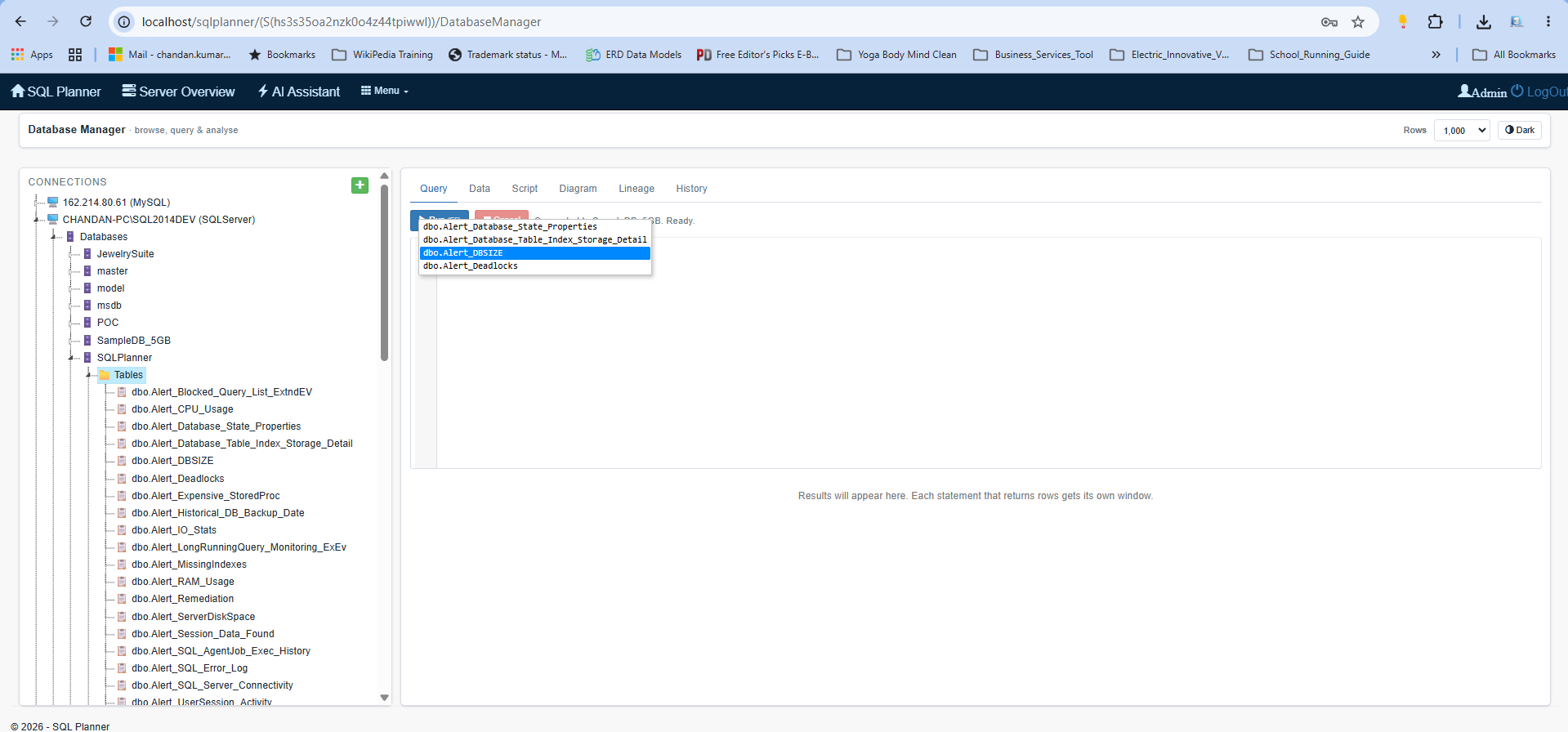
A fast SQL editor with IntelliSense, live syntax checking, snippets and multi-result-set grids. Expand any table to see columns, keys, constraints, indexes and triggers — with one-click DDL scripts.
Tune & diagnose
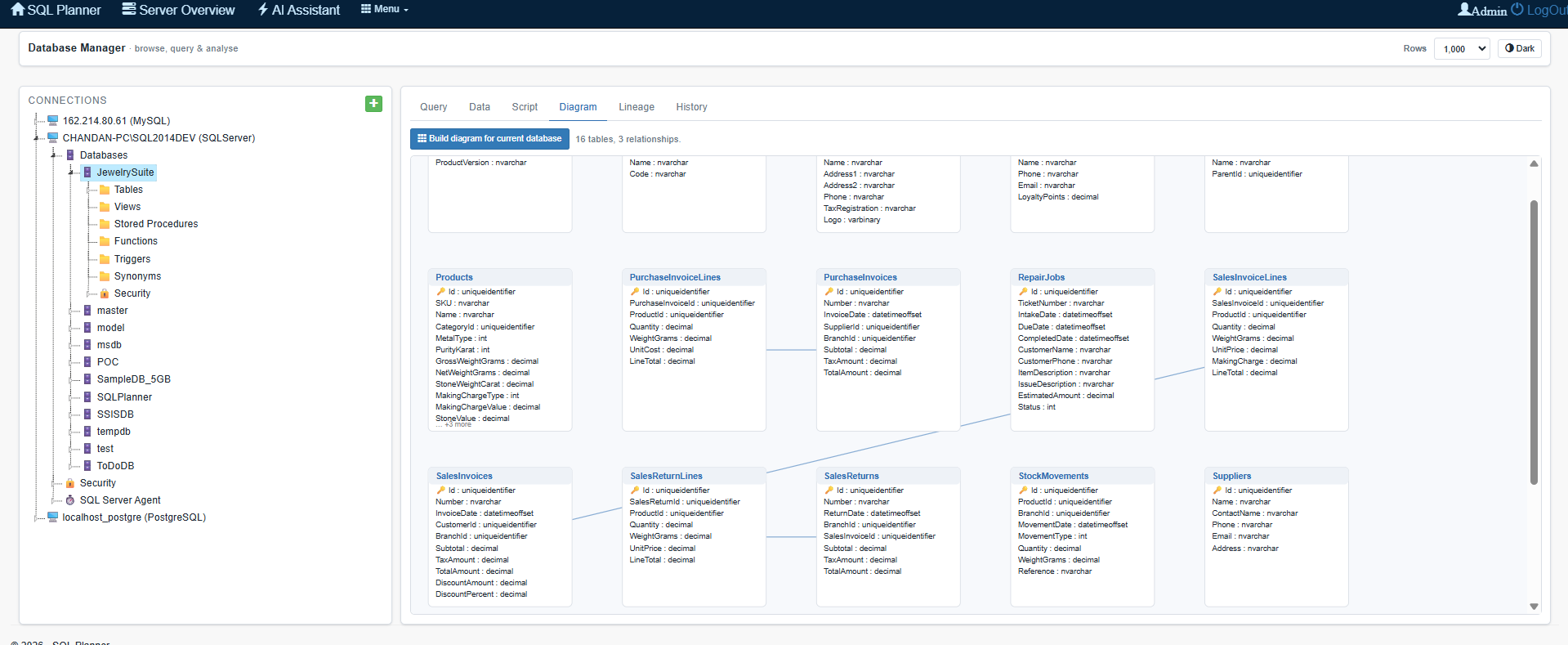
Graphical execution plans, a rule-based Tuning Advisor with index suggestions, live session & blocking monitor, and ER diagrams — so slow queries and lock chains are found in minutes.
Automate & govern
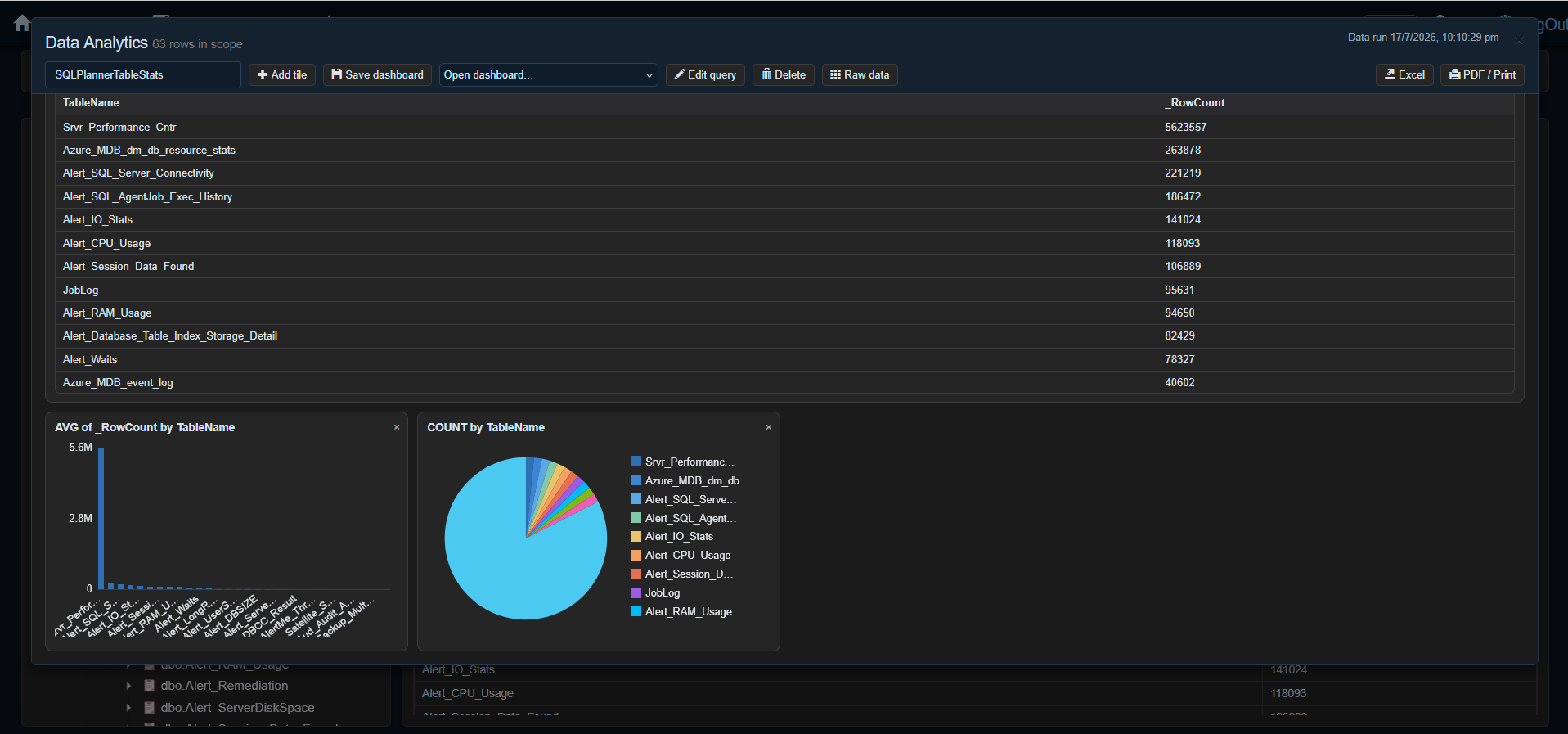
Turn any query into a saved dashboard, schedule it as an email report or threshold alert, and keep a complete who-did-what audit trail with read-only and admin roles.
Built for real day-to-day database work
A query editor your team will actually enjoy
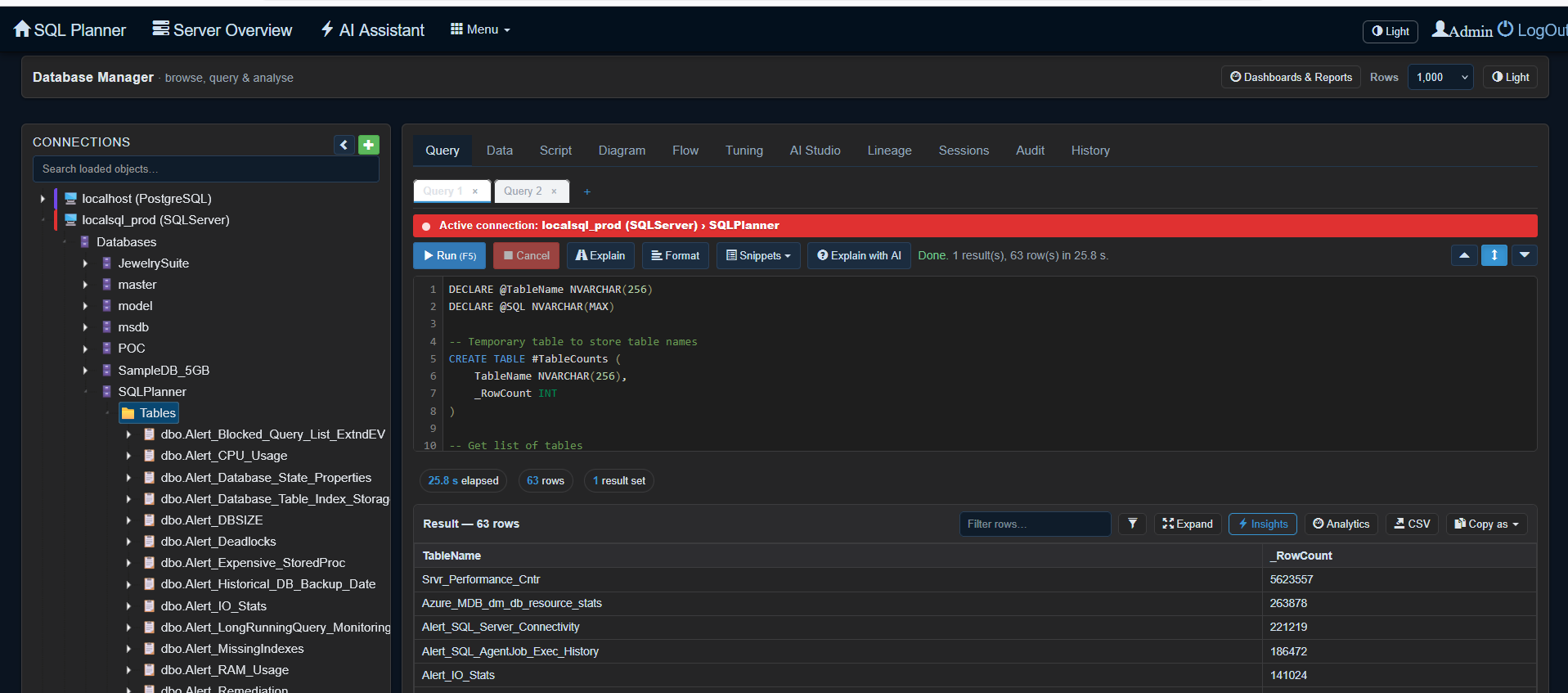
Write SQL with schema-aware autocomplete, red-underline error detection as you type, and engine-correct script generation for every row in your results.
- Multiple query tabs with per-tab results and history
- Handles multi-statement batches on all engines — including
GOand Oracle's; - Rich cell viewer: pretty-printed JSON & XML, image preview, large text
- Export to CSV, Excel, JSON or Markdown in one click
Click to zoom
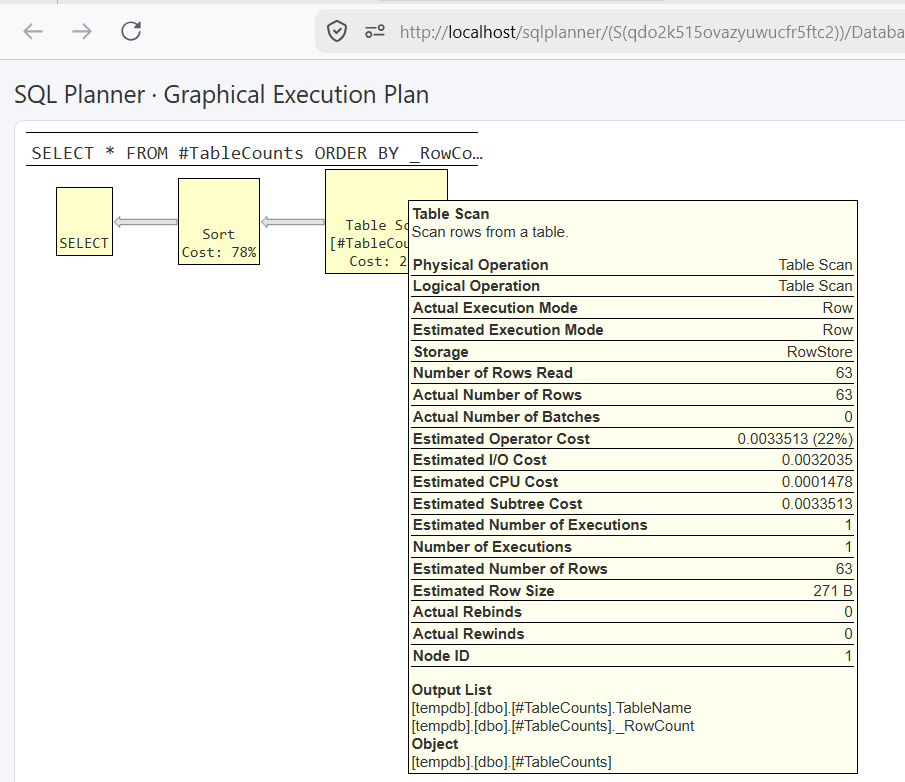
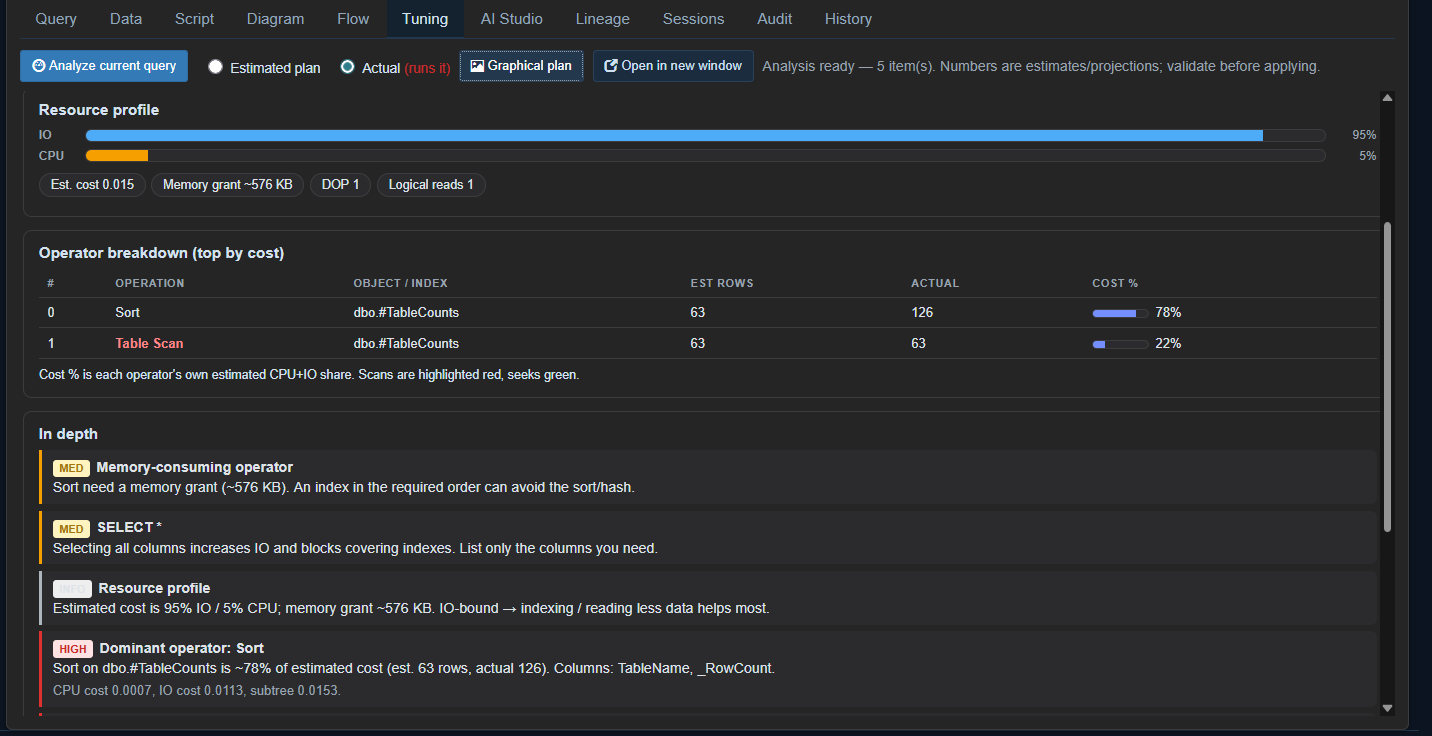
Find the slow query — and the fix
SSMS-style graphical execution plans in the browser, plus a Tuning Advisor that reads the plan and tells you about missing indexes, scans, cardinality skew and wait bottlenecks.
- Estimated plans by default; opt-in actual plans when you need real numbers
- Ready-to-run
CREATE INDEXsuggestions - Session & lock manager: see who is blocking whom, kill safely, fully audited
From query to emailed report in two minutes
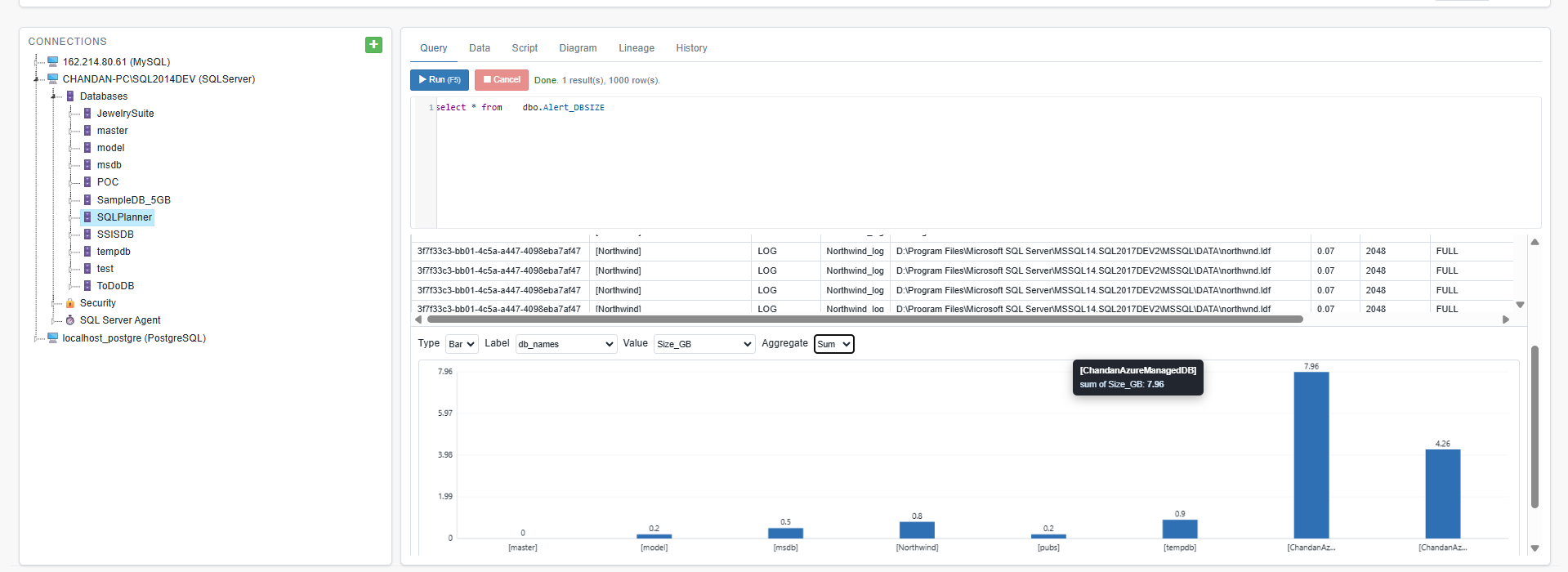
Turn any result set into KPI tiles, charts and tables. Save it as a dashboard, then schedule it — daily, weekly or hourly — straight to your stakeholders' inboxes.
- Bar, line, pie, number and table tiles across multiple result sets
- Alert mode: only email when the query returns more than N rows
- Custom subjects with placeholders like
{rows}and{server} - Dashboards reconnect to their own server & database automatically
Click to zoom
Click to zoom
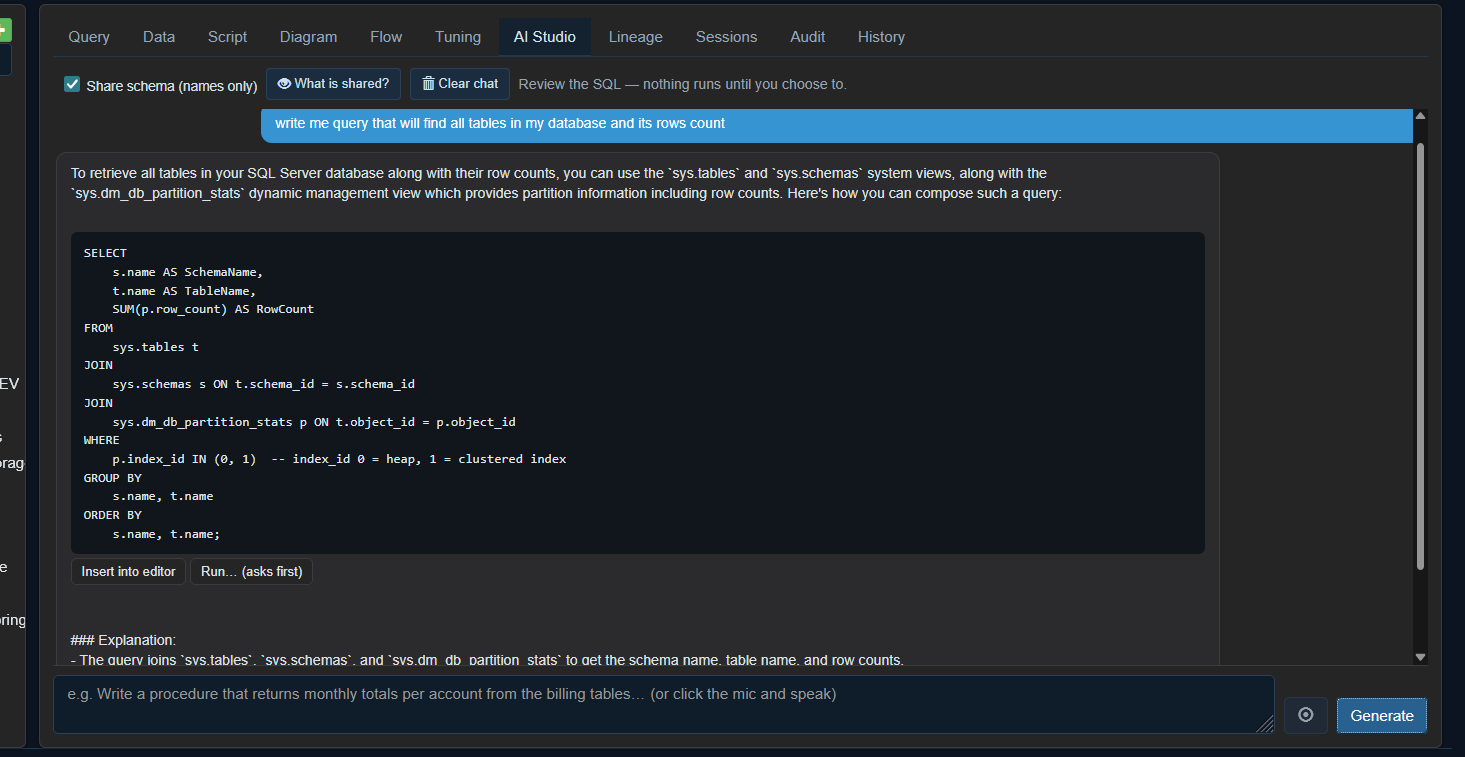
AI that knows your schema — not just SQL
Describe what you need in plain English (or speak it — there's a mic). AI Studio reads your tables, keys and relationships, then writes runnable SQL with correct JOINs.
- Explain any query, or explain-and-fix the last error
- "What is shared?" transparency — see exactly what's sent, names only, never data
- Nothing executes without your click — you stay in control
Governance your clients can audit
Give juniors read-only access, keep every action on record, and prove it — built for managed service providers and regulated environments.
Roles & read-only mode
Read-only, read-write and admin roles enforced server-side. A read-only user can explore and SELECT,
but every write — including sneaky SELECT INTO — is blocked and logged.
Full audit trail
Who ran what, where and when — with READ/WRITE flags, row counts and the SQL text. Filter by user, database or keyword and export to CSV for compliance evidence.
Reports that send themselves
Windows-scheduled email reports with rich HTML formatting, per-dashboard recipients, and alert thresholds — so the right people hear about problems before customers do.
Frequently asked questions
Which databases does SQL Planner Database Manager support?
SQL Server, MySQL, PostgreSQL, Oracle, MariaDB, Percona Server and Amazon Aurora (both MySQL- and PostgreSQL-compatible editions) — all from the same browser interface, with the same editor, dashboards, tuning and audit features on every engine.
Is it web-based? Do my team members need to install anything?
Yes — it runs in the browser from your own SQL Planner server. Nobody installs desktop tools; you add a connection once and your whole team can use it with role-based permissions.
Does my database data get sent to the cloud or to AI providers?
No. SQL Planner runs on your own infrastructure. The optional AI assistant shares only table and column names/types — never rows, never credentials — and a built-in "What is shared?" view shows you the exact text before anything is sent.
Can I schedule reports and alerts by email?
Yes. Any saved dashboard can be scheduled daily, weekly or hourly with your recipient list, a custom subject, and an optional alert threshold so an email is only sent when the query returns more than a chosen number of rows.
How is this different from SSMS, pgAdmin or DBeaver?
Those are single-user desktop tools. SQL Planner Database Manager is multi-user and web-based, adds team governance (roles + audit trail), scheduled email reporting, an AI SQL assistant and a built-in Tuning Advisor — and covers all your engines in one place instead of one tool per engine.
See your own databases in it
A 20-minute walkthrough with your team is the fastest way to evaluate it. Bring a slow query — we'll tune it live.
Request a live demo