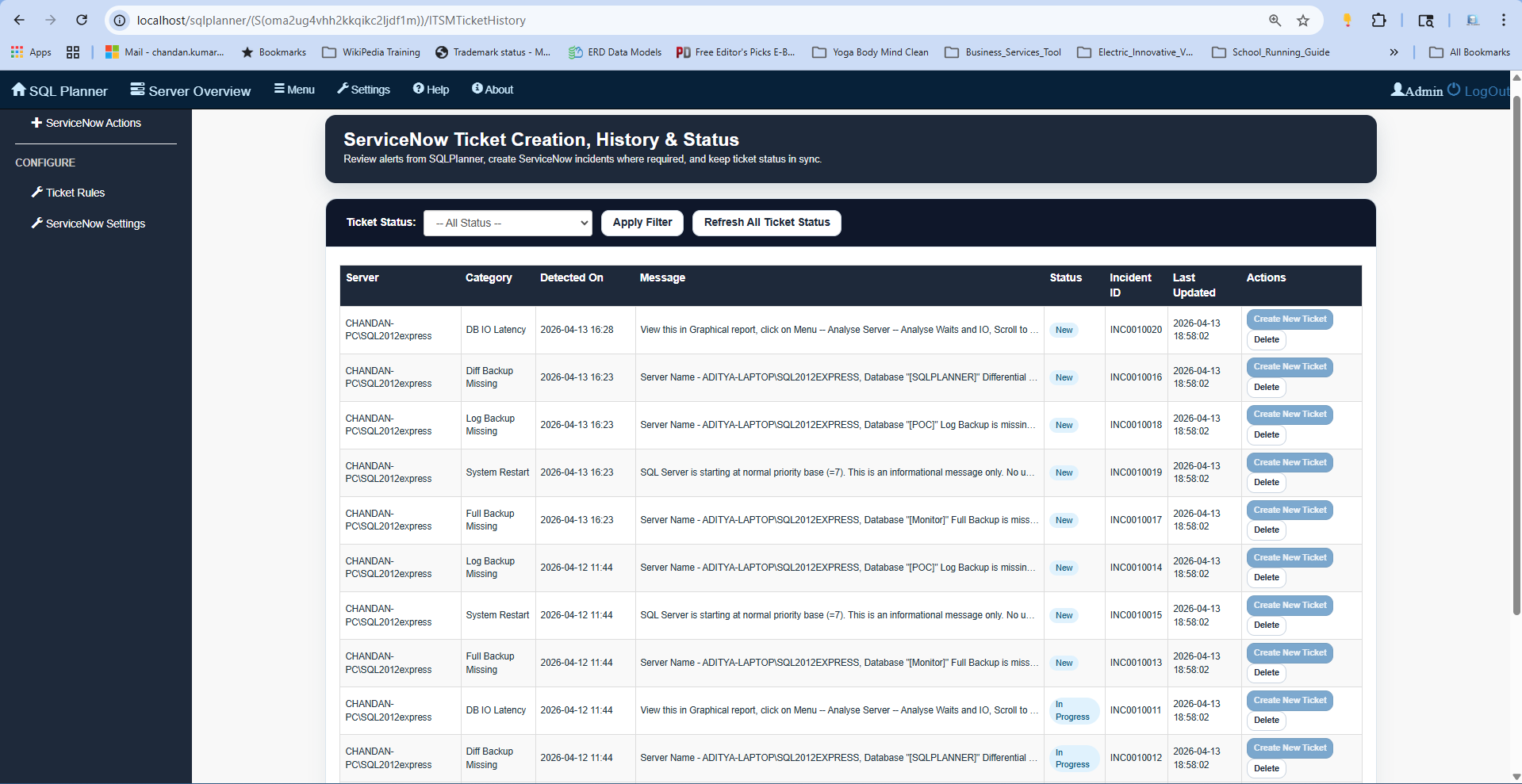
Comprehensive Resource Monitoring, Event Log Analysis, and Real-time Alerting
1. Resource & Process Troubleshooting
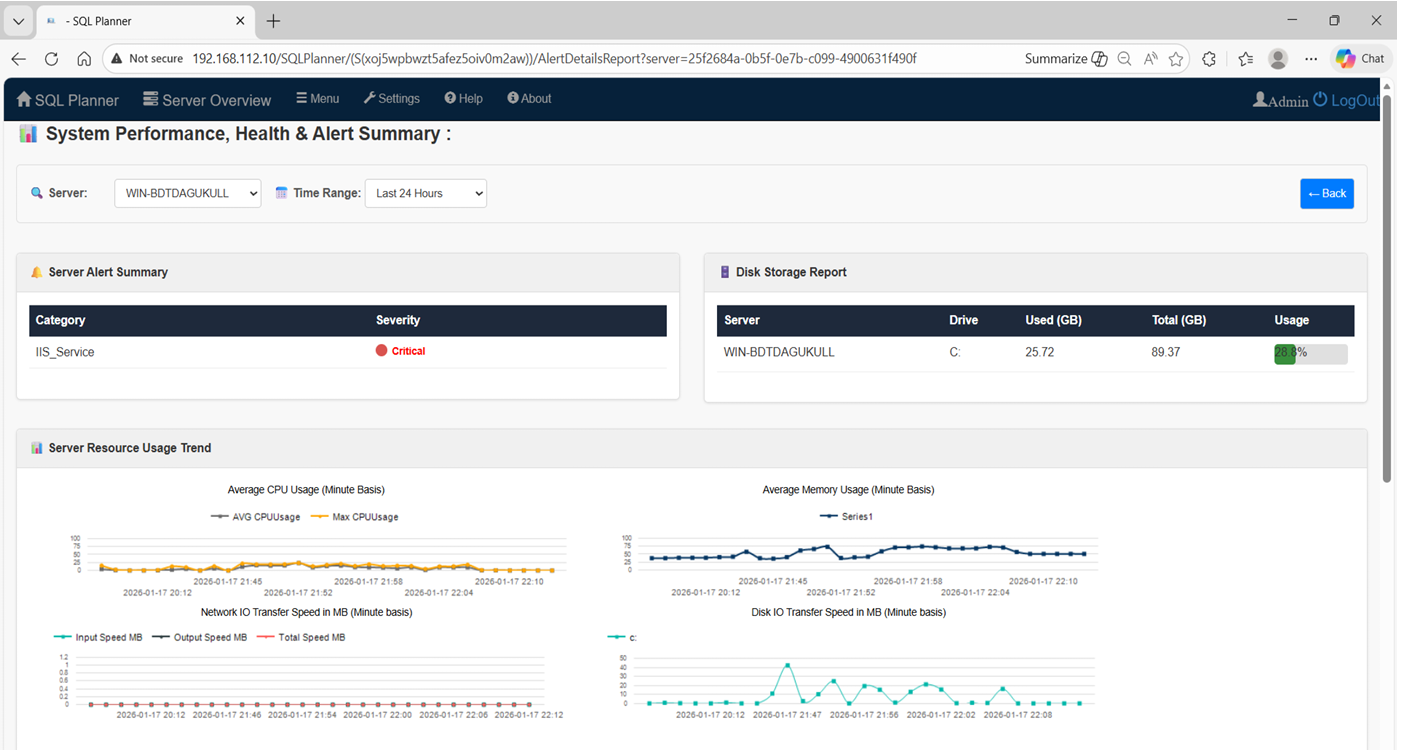
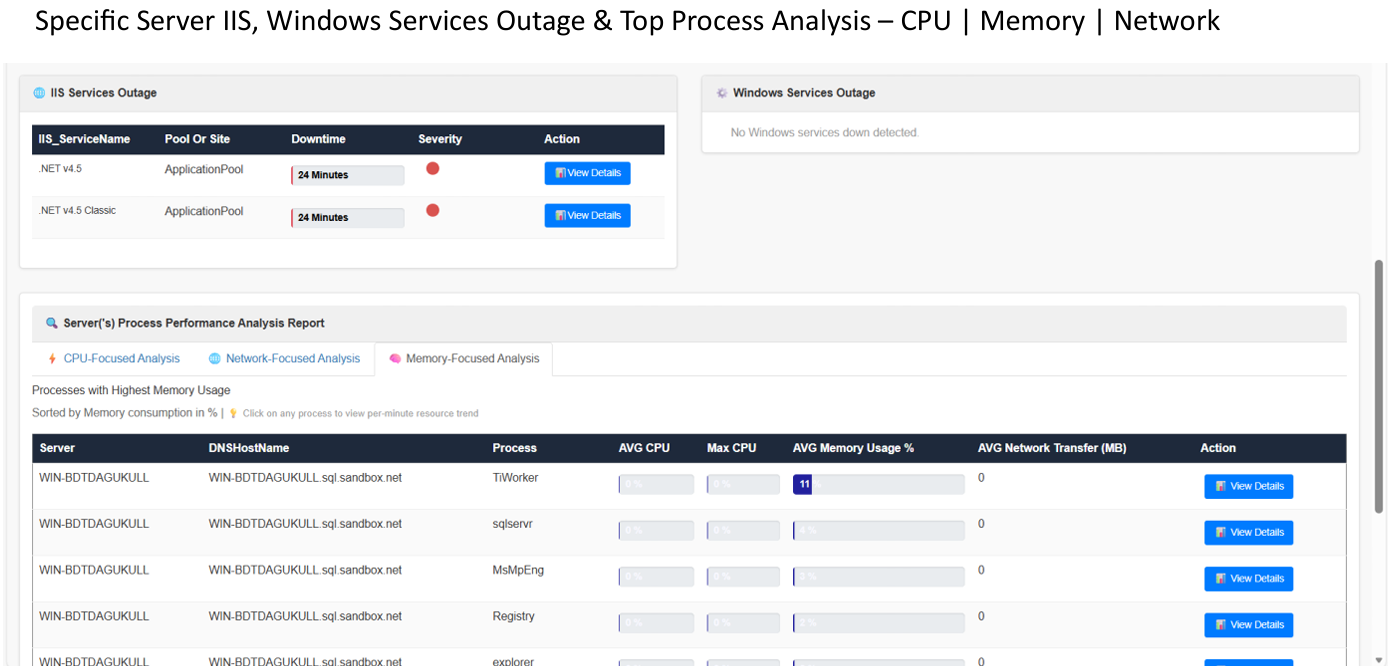
Identify performance bottlenecks and server slowness with surgical precision. SQL Planner provides deep visibility into what is consuming your CPU and Memory resources.
Real-Time
Deep Dive Diagnostics
Go beyond general stats. Drill down into specific processes with minute-by-minute consumption metrics and visual graphs.
Analysis
Time-Range Reporting
Pinpoint the exact moment of a performance spike. Select specific date ranges to analyze historical resource usage.
Feature Demo: Finding High CPU Processes
2. Advanced Event Log Monitoring
Management of Windows Server logs shouldn't be a manual chore. SQL Planner automates log analysis and introduces AI-driven insights.
AI-Powered Analysis
Leverage integrated AI to request log summaries and prioritize critical errors. Interact with data using natural language.
Visual Dashboard
Monitor multiple servers simultaneously with graphs displaying error occurrences hourly, categorized by severity.
Feature Demo: Windows Server Log Monitoring
3. Proactive Alerting & Health Reports
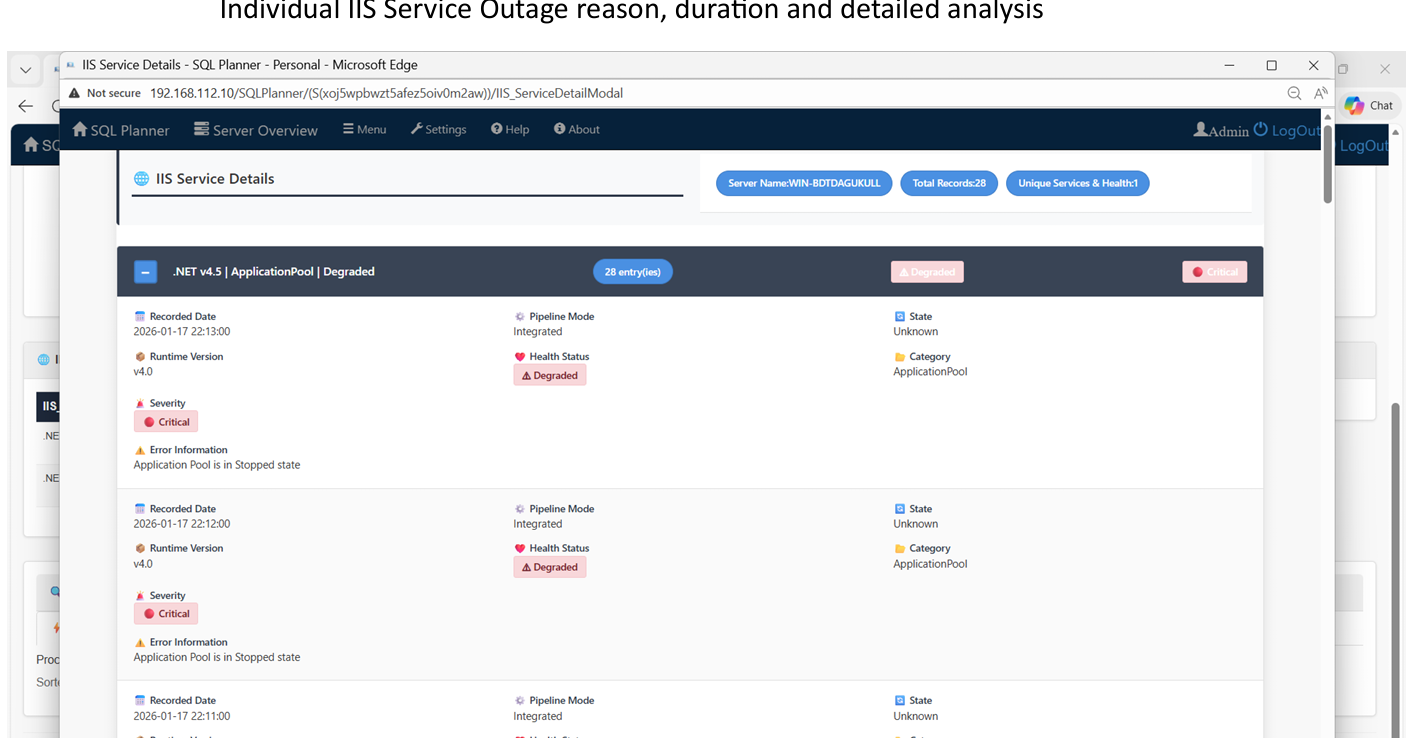
Stay ahead of issues before they become downtime. Our notification system ensures you are always informed about your server's health.
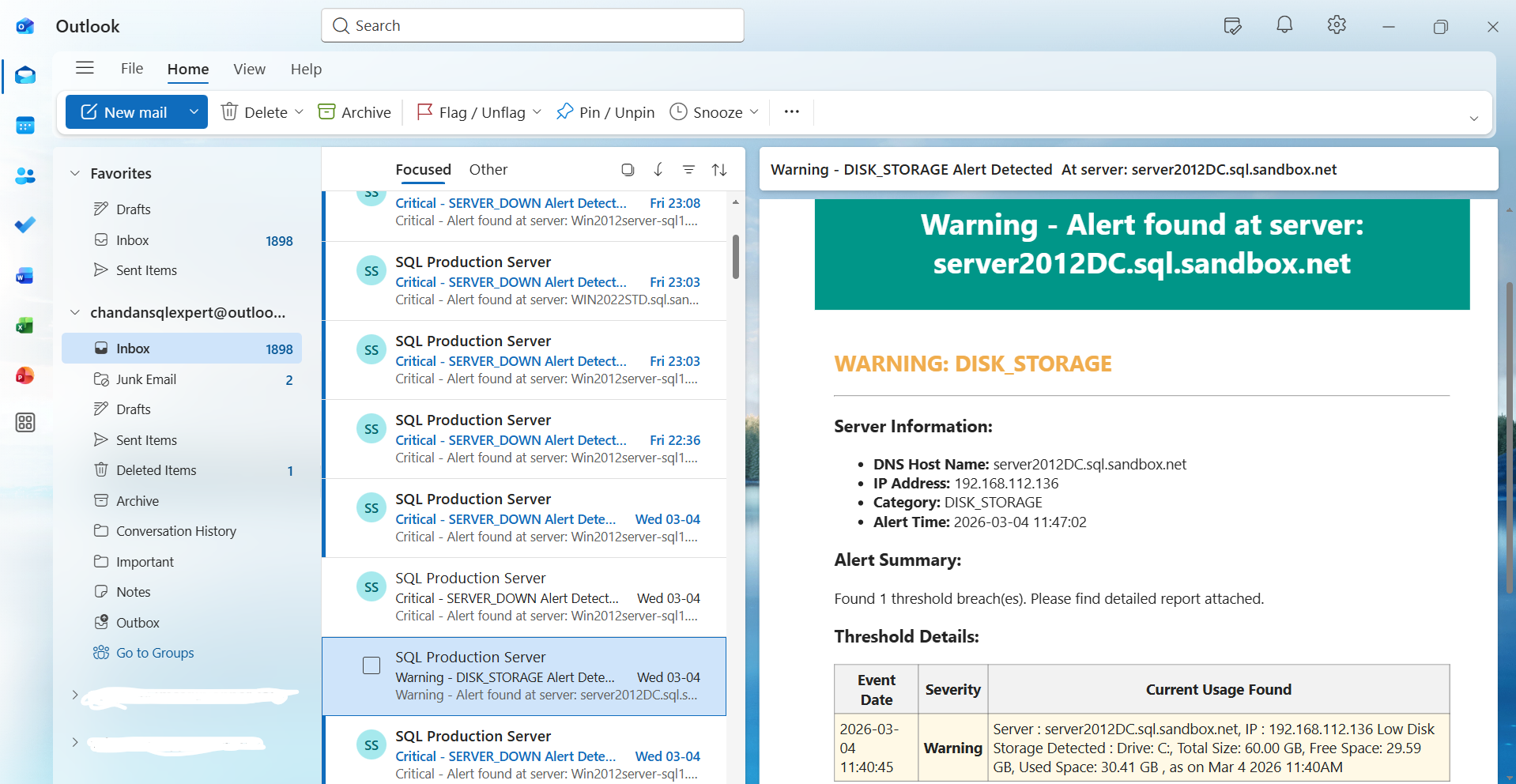
Instant Email Notifications
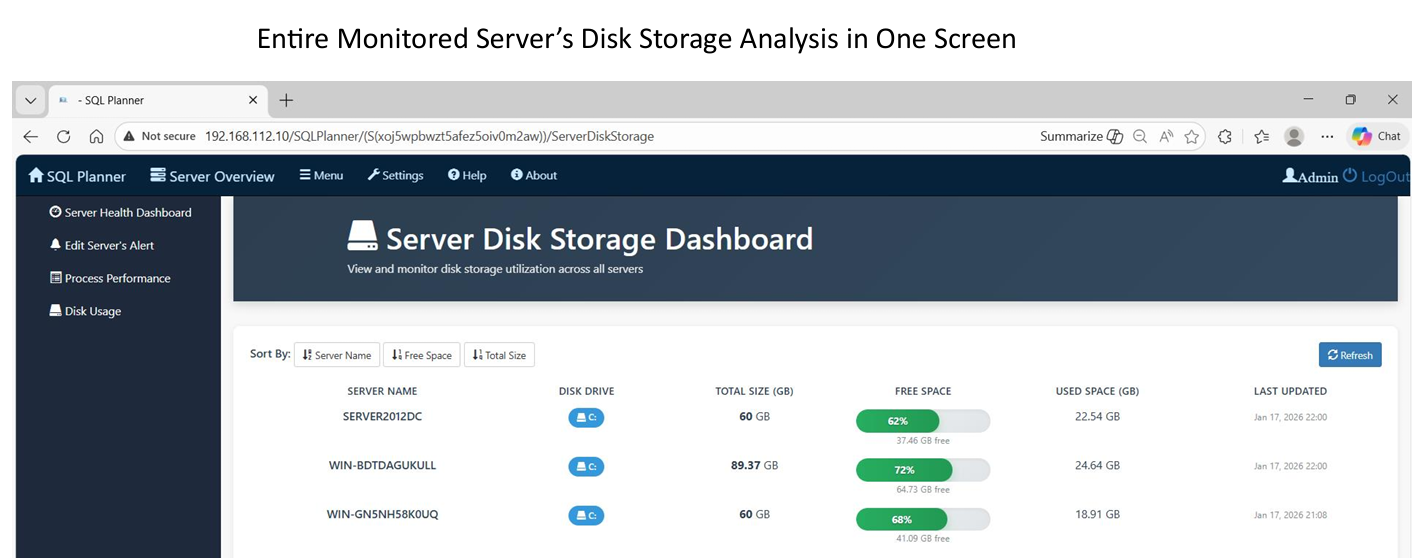
Receive immediate alerts for server downtime, storage threshold breaches, or disk space issues directly in your inbox.
Customizable Thresholds
You define what "critical" looks like. Customize alert triggers for specific services and set custom hardware thresholds.