One Console for Every Database: Meet the Database Manager in SQL Planner - Free Tool
If you manage databases for a living, you already know the daily juggle. One desktop client for SQL Server, another for MySQL, a separate one for PostgreSQL, and yet another for Oracle.
Different windows, different shortcuts, different ways of doing the same five things. Every context switch costs you a few seconds — and across a busy day, those seconds add up to real friction. We built the Database Manager inside SQL Planner to end that juggle. It puts browsing, querying, scripting, and analysis for all your major database engines into a single console — the same console where you already monitor your servers.
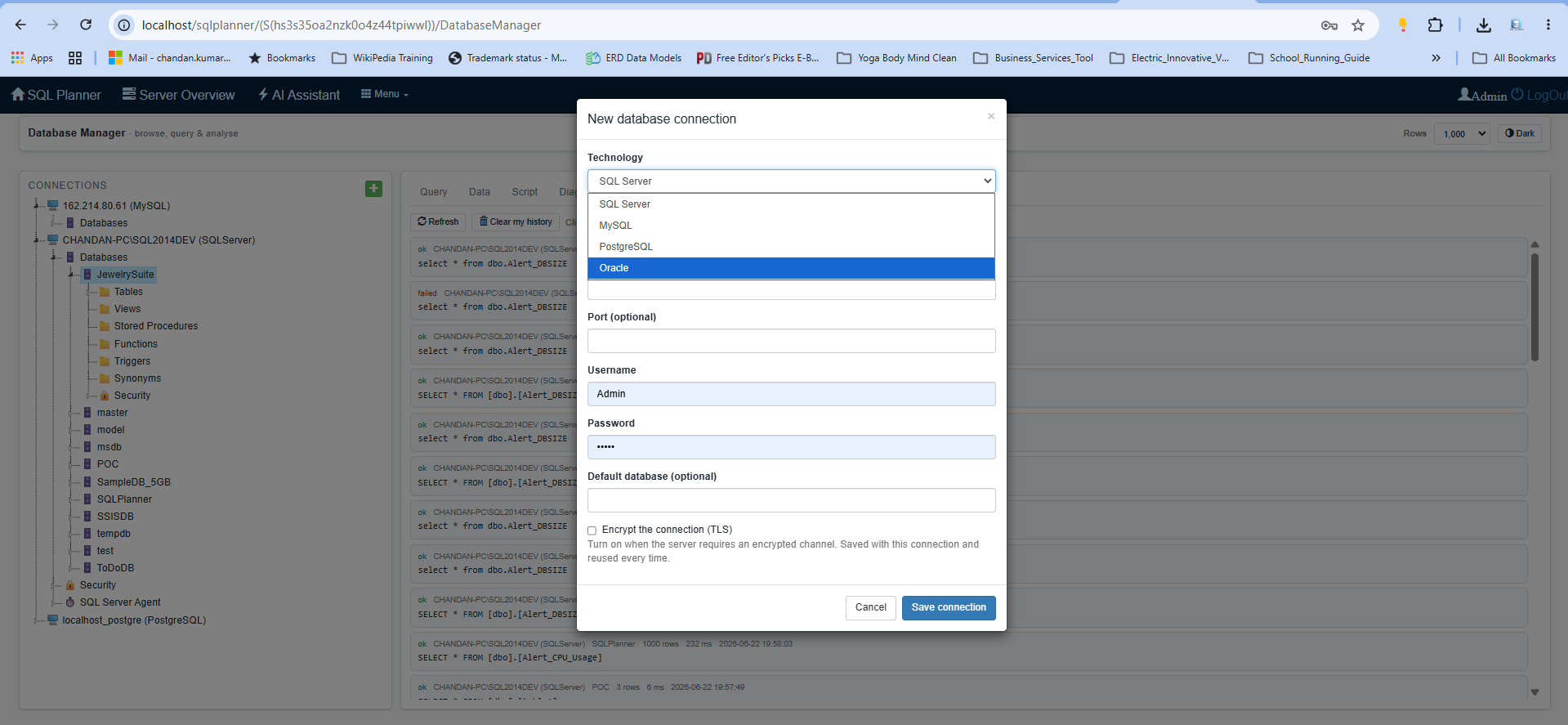
- SQL Server
- MySQL
- PostgreSQL
- Oracle
Every engine, one place
Database Manager connects to SQL Server, MySQL, PostgreSQL, and Oracle through one consistent interface. Save a connection once, and it appears in a tidy tree on the left. Expand a server to see its databases; expand a database to see its tables, views, and stored procedures. The layout stays the same no matter which engine you're working with, so you spend your attention on the data — not on relearning a tool.
Write and run SQL, comfortably
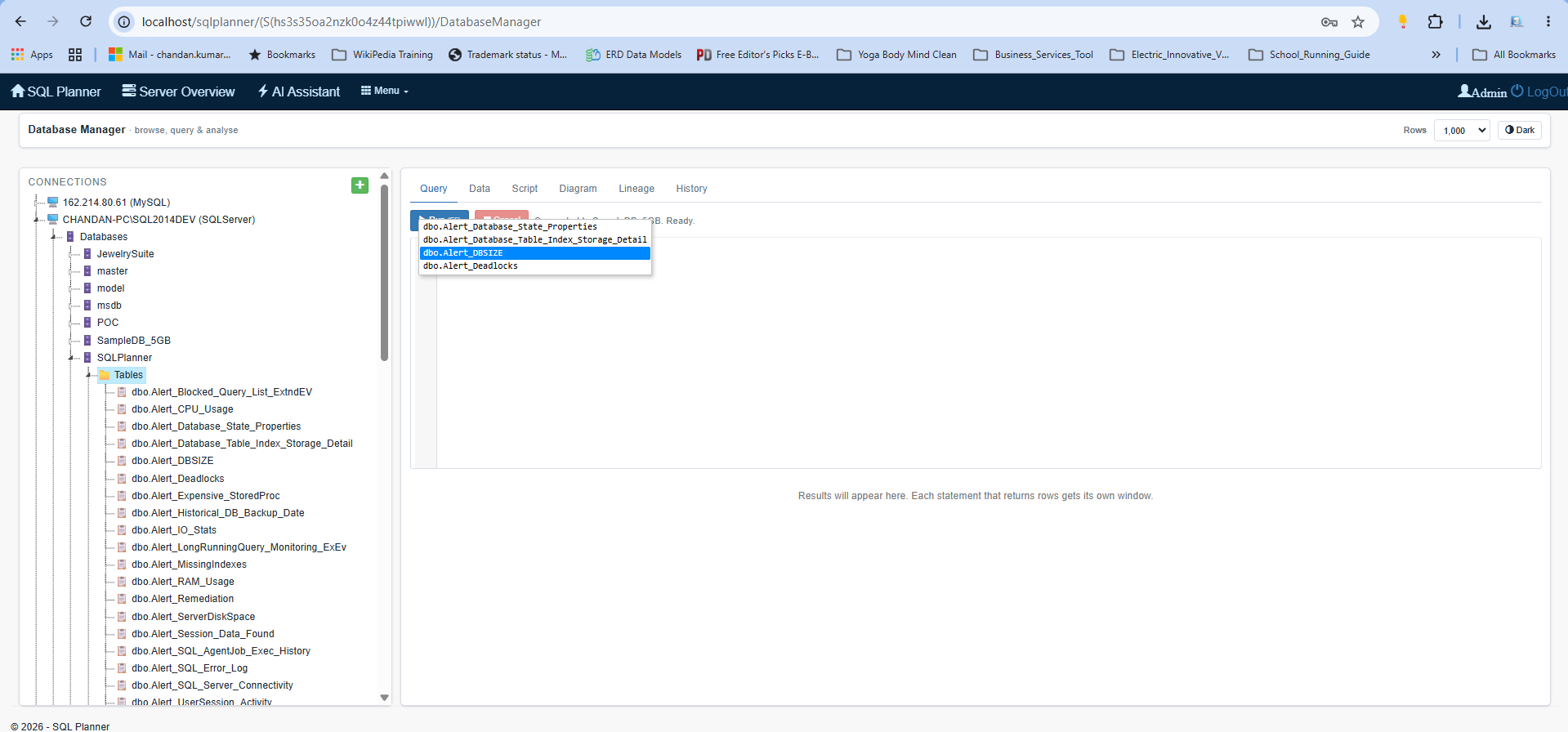
The built-in query editor gives you syntax highlighting and context-aware autocomplete that reads the tables in your statement — so when you start a WHERE clause it suggests the right columns, resolves table aliases, and even shows each column's data type. Reusable snippets adapt to whichever engine you're on, and one-click formatting tidies messy SQL instantly. Set a row limit before you run, so a careless SELECT * never floods your screen. Kick off a long-running query and cancel it with a click if you change your mind. It's a focused, keyboard-friendly editor designed for everyday work.
Know how a query performs
Before you ship a query, see how the database will run it. Database Manager pulls an estimated execution plan for SQL Server, MySQL, PostgreSQL, and Oracle — the same plan the engine itself would choose — so you can spot a missing index or an expensive scan early, without running the statement. Every run also reports its execution time, row counts, and result-set count, giving you a quick read on cost right inside the editor.
Results you can actually use
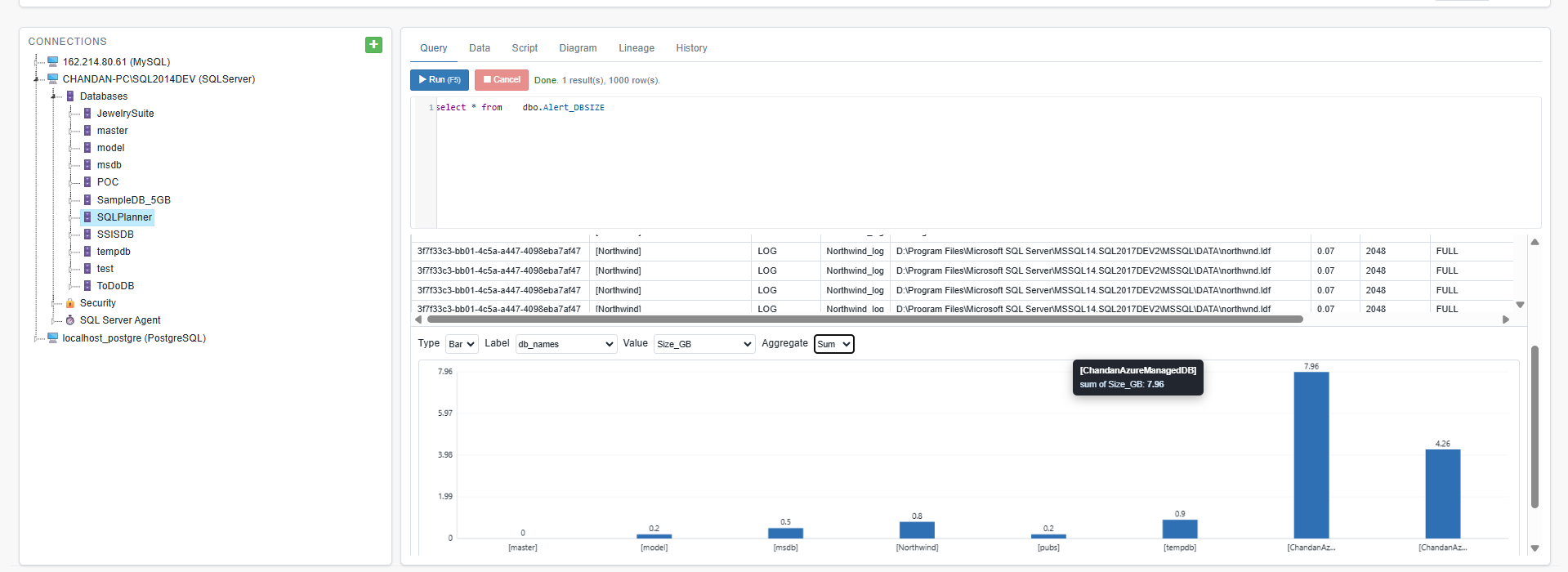
Every statement that returns rows gets its own result grid. From there you can sort, filter by any column, and export to CSV, JSON, or Markdown in a couple of clicks. Need a quick read on the shape of your data? Turn any result into an instant bar, line, or pie chart, or open the built-in insights to see the highlights without writing extra queries. When a query returns several result sets, each one lands in its own window, ready to explore.
See the structure, not just the rows
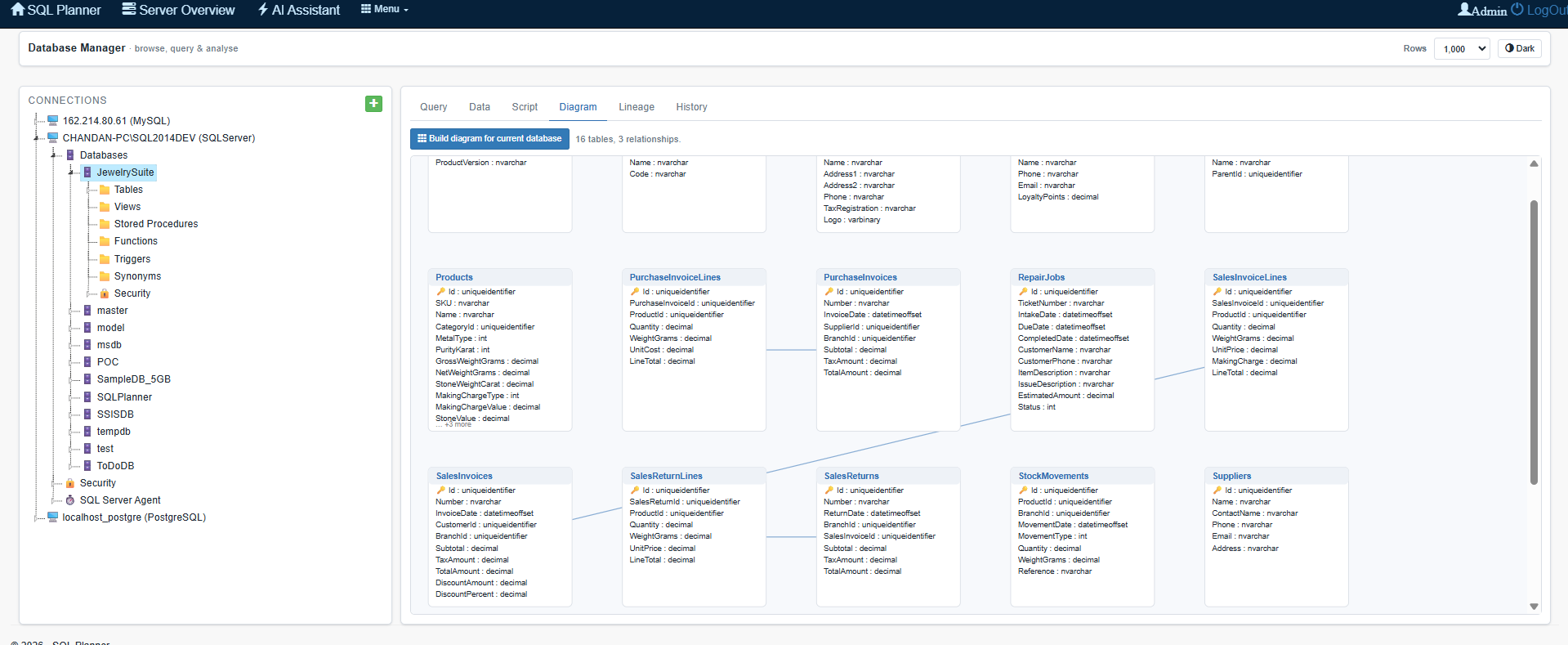
Database Manager goes beyond raw tables. Pull up the script for any object to read its definition. Generate a relationship diagram to see how your tables connect — a visual map of primary and foreign keys across the database. Trace object lineage to understand what depends on what before you change anything. And because every query you run is saved to history, you can always get back to that statement you ran last Tuesday.
Built for the way you work
Colour-code your connections — tag production red and development green — so a glance at the active-connection bar tells you exactly which server you're about to run against. A light and dark theme let you match your environment. Connections are tied to your user account and credentials are stored encrypted, so your access stays yours. And because everything runs server-side inside SQL Planner, there's nothing for your team to install on their machines — it all works in the browser they already have open.
Why it matters
The point of a single console isn't just tidiness. It's speed and confidence. When browsing, querying, scripting, diagramming, and history live in one place — right next to your monitoring — you diagnose issues faster, you make changes with more context, and you stop paying the small, constant tax of switching tools. One window. Four engines. Everything you need to look at a database and understand it.
Database Manager is available now in SQL Planner. Open it from your dashboard, add a connection, and start exploring. If you're already monitoring a server, its databases are just a click away.