Schema Compare
Compare two database schemas, see every difference side by side, and generate a deployment script written in your database's own native SQL — for SQL Server, MySQL, PostgreSQL, and Oracle.
Why it's different
One table, four native dialects
Most of the work in comparing schemas is speaking each database correctly. Schema Compare never reuses one generic syntax — it reads each platform's own catalog and writes each object in that platform's real grammar. Here is the same table, generated four ways:
SQL Server brackets · IDENTITY
CREATE TABLE [dbo].[Country] (
  [CountryId] INT IDENTITY(1,1) NOT NULL,
  [Name]      NVARCHAR(100) NOT NULL,
  CONSTRAINT [PK_Country] PRIMARY KEY ([CountryId])
);
MySQL backticks · AUTO_INCREMENT
CREATE TABLE `country` (
  `country_id` INT NOT NULL AUTO_INCREMENT,
  `name`        VARCHAR(100) NOT NULL,
  PRIMARY KEY (`country_id`)
);
PostgreSQL quotes · IDENTITY
CREATE TABLE "public"."country" (
  "country_id" integer GENERATED BY DEFAULT AS IDENTITY,
  "name"        varchar(100) NOT NULL,
  CONSTRAINT "pk_country" PRIMARY KEY ("country_id")
);
Oracle quotes · NUMBER IDENTITY
CREATE TABLE "HR"."COUNTRY" (
  "COUNTRY_ID" NUMBER GENERATED BY DEFAULT AS IDENTITY,
  "NAME"        VARCHAR2(100) NOT NULL,
  CONSTRAINT "PK_COUNTRY" PRIMARY KEY ("COUNTRY_ID")
);
What you can do
Capabilities
Everything you need to find, understand, and resolve the gap between two databases of the same platform.
Compare two schemas
Point at a source and a target of the same technology and get a complete object-by-object comparison.
Native deployment scripts
Generate a synchronization script in the target's own SQL — brackets, backticks, quotes, sequences and all.
Side-by-side diff
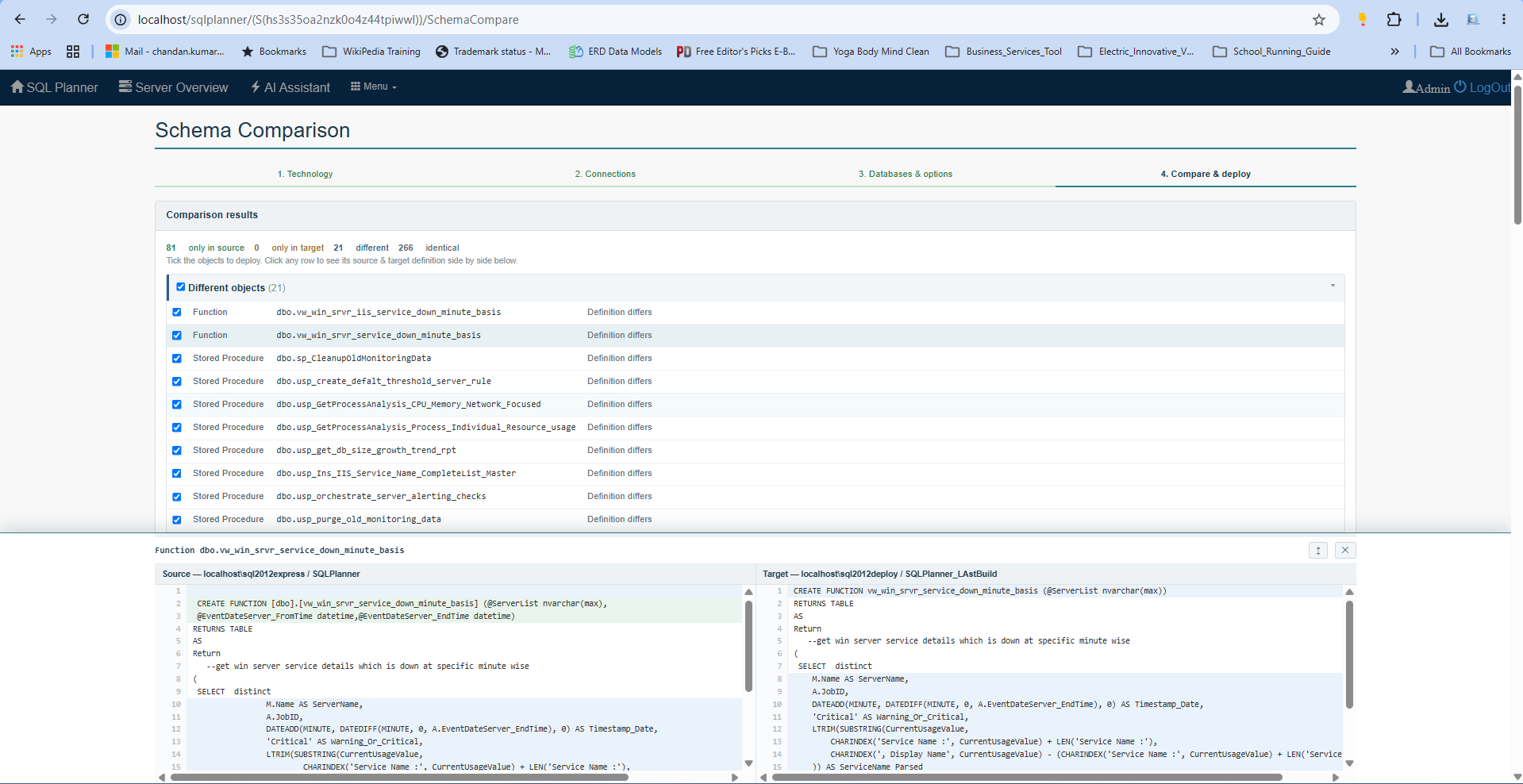
See the source on the left and the target on the right, each rendered as real CREATE statements, line for line.
Broad object coverage
Tables, columns, keys, indexes, constraints, views, routines, sequences and more — not just table shells.
Connect & pick a database
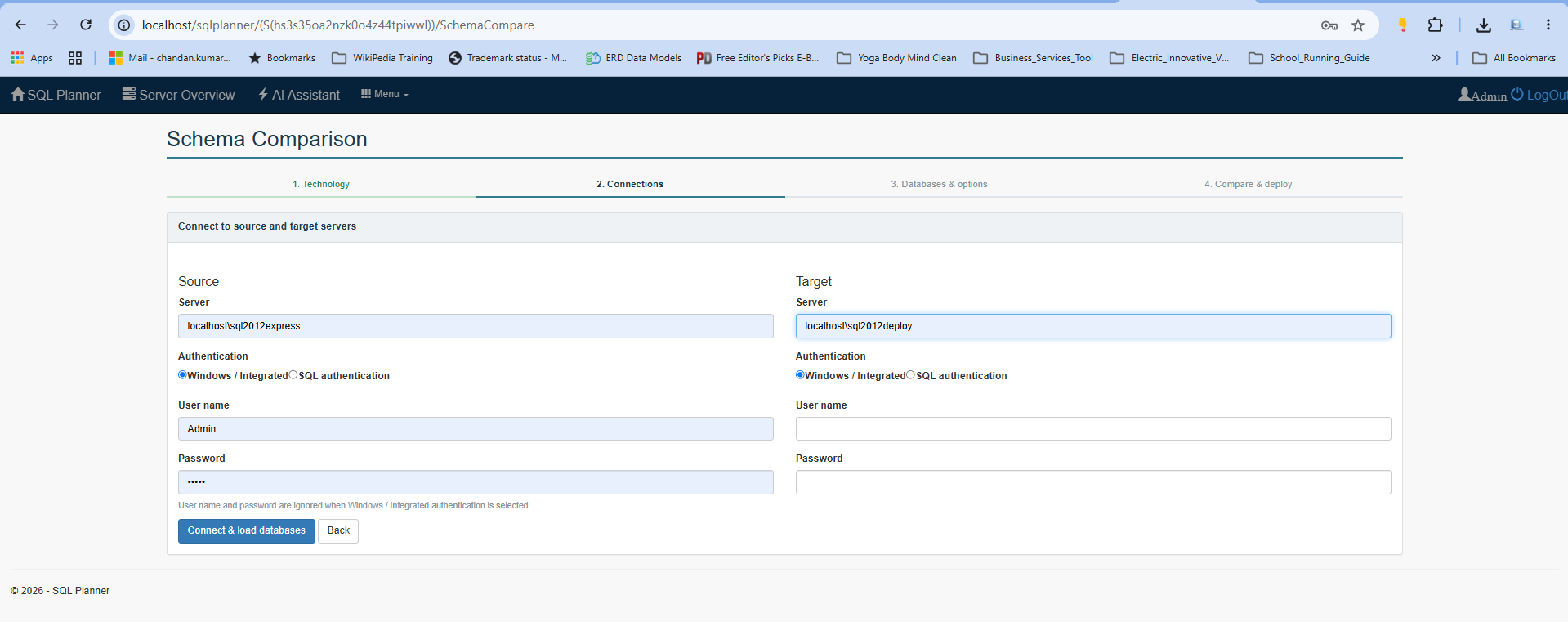
Test a connection, list the databases on the server, and choose exactly which one to read on each side.
Review before you deploy
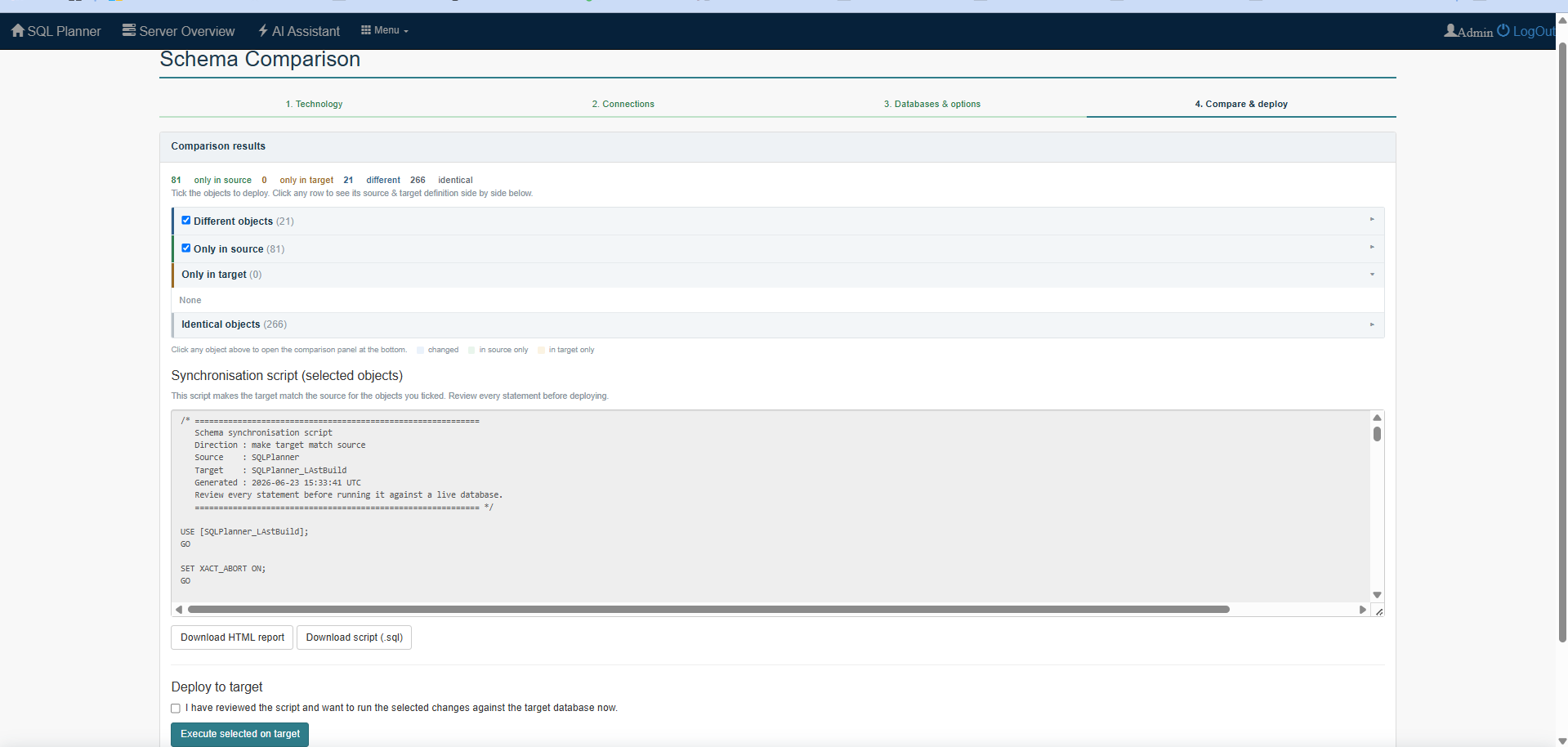
Nothing changes until you say so. Read the script, decide what to keep, then run it when you're ready.
Coverage
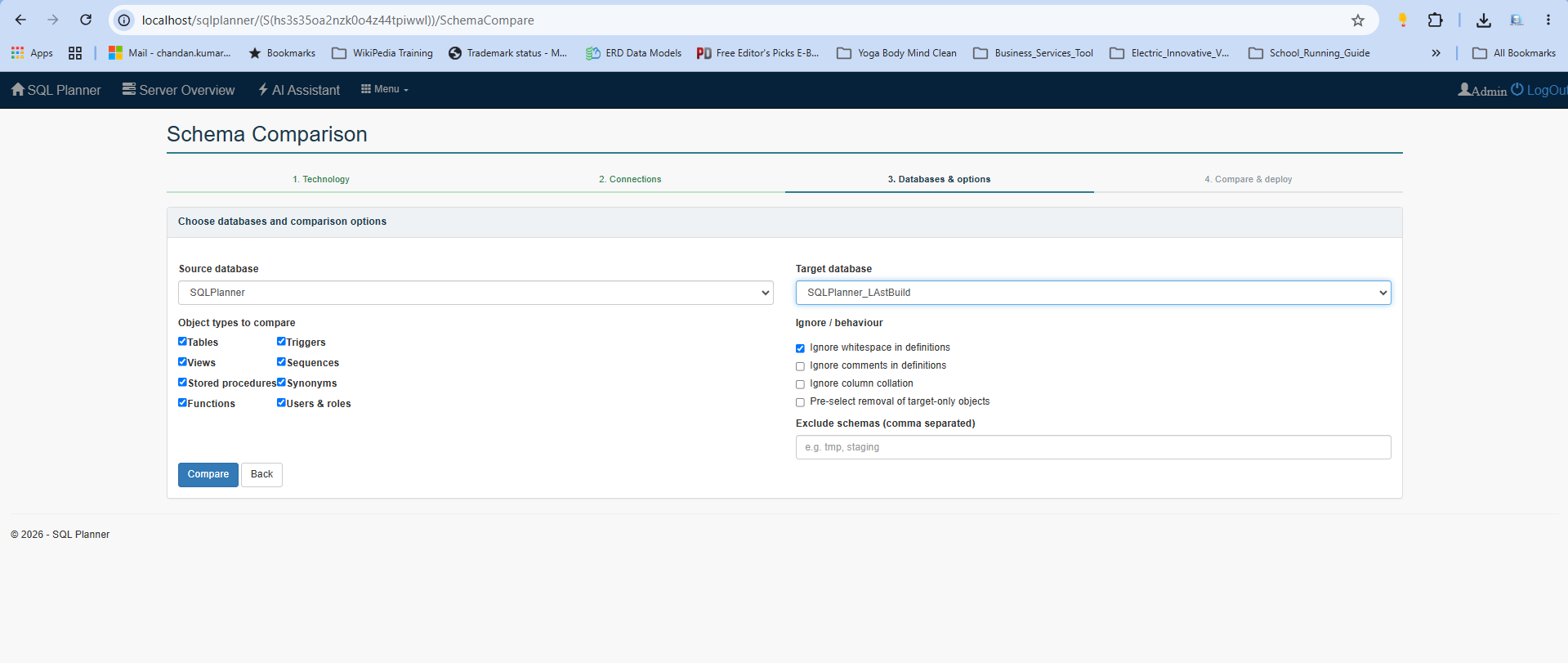
What gets compared
- Tables & columns
- Data types & lengths
- Nullability
- Identity / auto-increment
- Primary keys
- Foreign keys
- Unique & non-unique indexes
- Check constraints
- Default values
- Views
- Stored procedures
- Functions
- Sequences
- Synonyms (Oracle)
The flow
How it works
A short, guided path from two connections to a script you can trust.
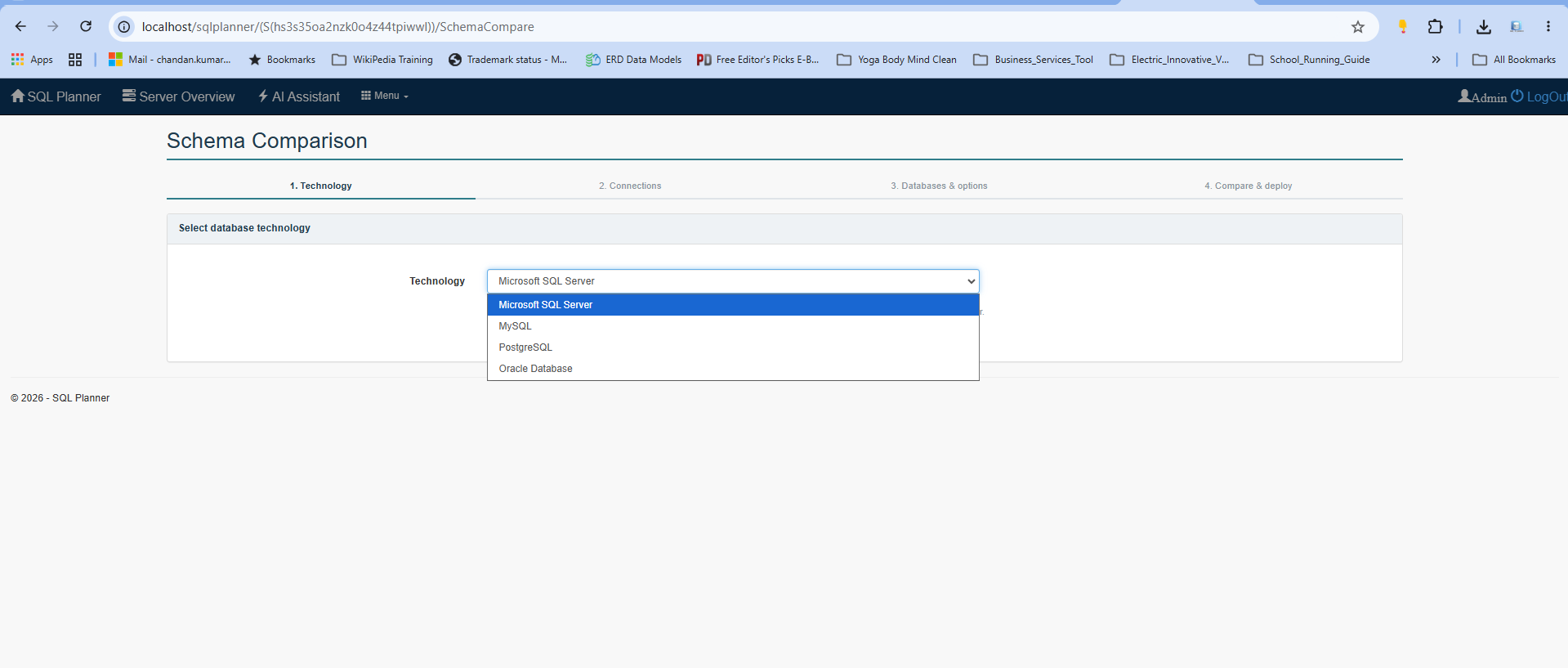
- Choose your database technologySQL Server, MySQL, PostgreSQL, or Oracle — this sets the dialect for the whole session.
- Connect the sourceEnter the server, sign in, test the connection, and pick the database to read from.
- Connect the targetDo the same for the database you want to bring in line with the source.
- Run the comparisonSchema Compare reads both catalogs and lists every object that's added, missing, or different.
- Review the side-by-side diffOpen any object to see source and target as real CREATE statements next to each other.
- Generate & deploy the scriptProduce the native synchronization script, review it, and run it when you're ready.
Screen Shots